...
See Recovery Option 1: Phone to setup Phone Recovery or Recovery Option 2: Email to setup Email Recovery
| Anchor | ||||
|---|---|---|---|---|
|
Step 1: Enter Phone Number and Select Contact Method
After clicking on Set it up now next to Authentication Phone is not configured, you will see the following page. Choose your applicable country code and enter your phone number. This is the phone number that you will receive a code that you will need to enter in the next step.
...
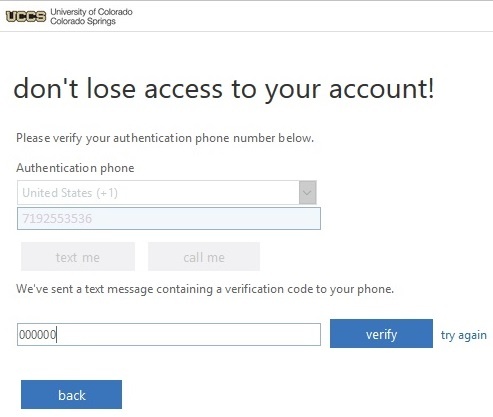
Enter the code that you received in a text message or via an automated call. Press Verify
| Anchor | ||||
|---|---|---|---|---|
|
Step 1: Enter Alternative Email Address
After clicking on Set it up now next to Authentication Email is not configured, you will see the following page. Enter an alternative email address and press email me. Be sure that it is not a UCCS email address. This is the email address that you will receive a code that you will need to enter in the next step.
...