...
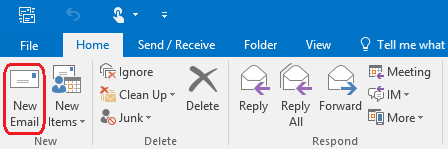
Start a new email within Outlook.
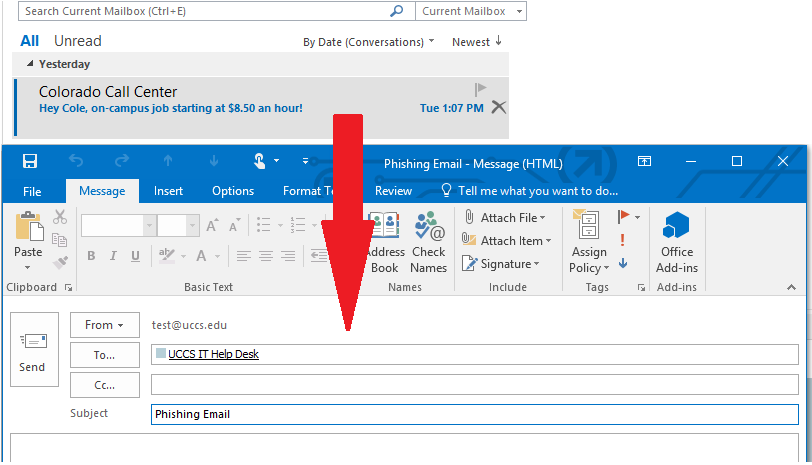
Step 2: Drag Spam/Phishing Email and Drop in New Email
Drag the Spam/Phishing email from your list of emails and drop it into the new email. Address the email to [email protected] and put Reporting Spam/Phishing as the subject.
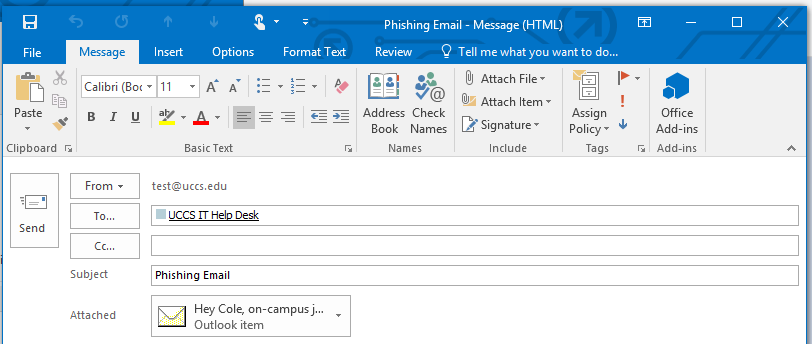
End Result
Finally you should see the email you made with the spam/phishing email in the Attached section.
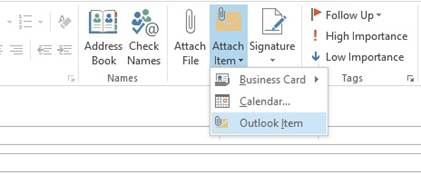
Attaching Spam as an Attachment for Outlook 2010 & 2013 (Windows)
...
Create a new email and address it to [email protected] with the subject of SPAM Email.
...
In the Insert Item window, find the email you would like to attach. Below the Ok button OK button ensure that it is send as attachment. Click Ok OK.
Step 4: Send the Email
The email should now show an attachment. Click Send.