...
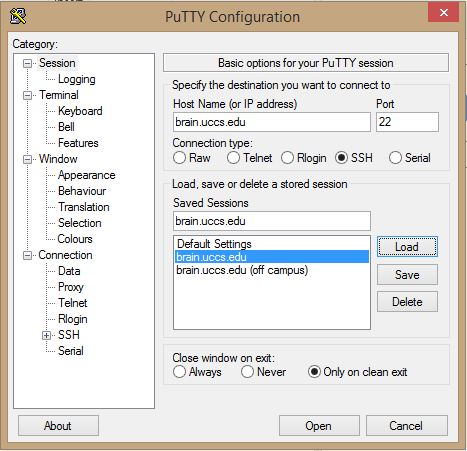
Fill Host Name (or IP Address) with brain.uccs.edu, Port with 22, and Connection type as SSH.
Step 2: Off Campus PuTTy Configuration
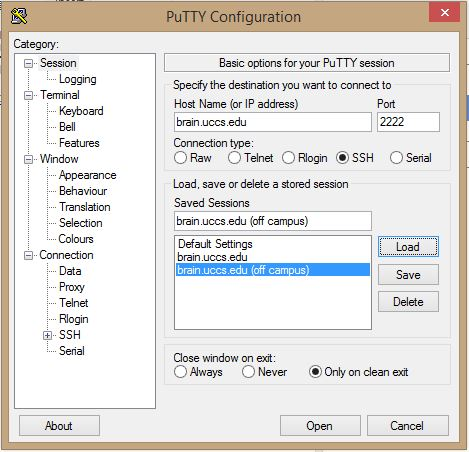
Fill Host Name (or IP Address) with brain.uccs.edu, Port with 2222, and Connection type as SSH.
Step 3: Saving the Configuration
...
Once all of the settings are entered click Open at the bottom of the window. A black window will appear and you will be prompted to enter your UCCS username and password.
Updated 5/18/16 by ColeAnchor