...
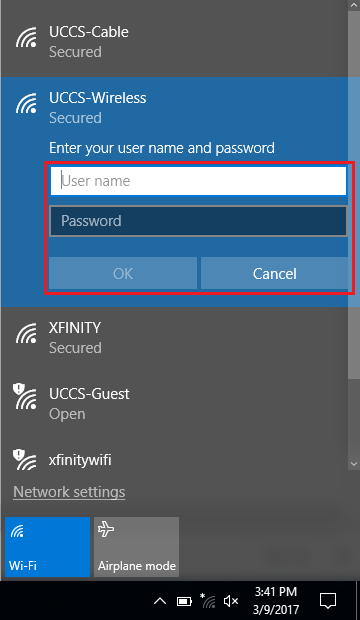
Enter the Guest Credentials you obtained from the registration step above and click OK.
Step 8: Verify Security Certificate
To validate and see more information about the certificate, click Show Certificate Details
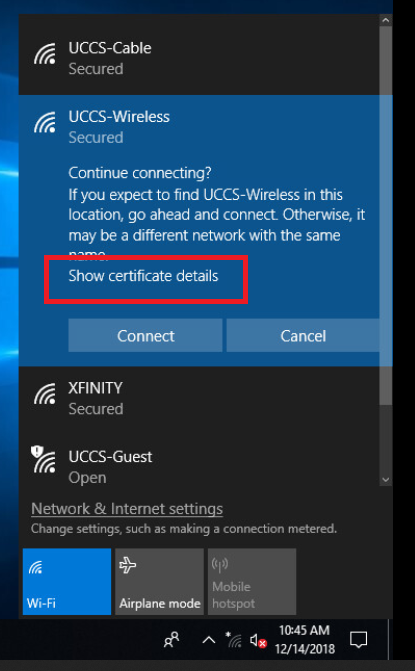
Step 9: Verify Security Certificate continued
The server certificate thumbprint should be displayed. It should match the SHA-1 fingerprint listed below.
If the fingerprint matches, click Connect
→ If the fingerprint do not match, DO NOT trust the certificate! Click Don't Connect and contact the OIT Helpdesk for assistance.
| Info | ||
|---|---|---|
| ||
SHA-1 A7 D6 D8 4D FB 1F AC E7 B6 1F CD 59 A8 9A D7 03 77 A9 F8 09 |

You are now connected to the UCCS-Wireless network.