...
You have three options for accessing the Virtual Lab Systems:, web browser, desktop app, or common RDP.
Preferred source is a Microsoft Windows 10 OS or Edge browser. Mac users are limited to Internet Browser Access. Chromebook devices can use all three.
Internet Browser Access
- Open a browser to Remote Desktop Web Client (microsoft.com). Microsoft Edge is preferred if you have issues with your existing browser.
- Enter UCCS SSO login credentials
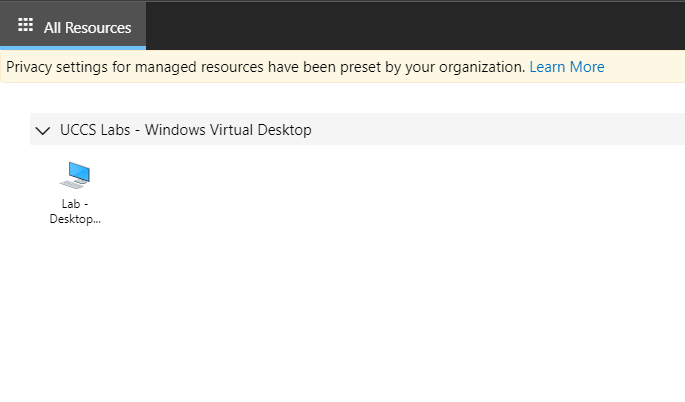
- Select the desktop icon under UCCS Labs - Windows Virtual Desktop:
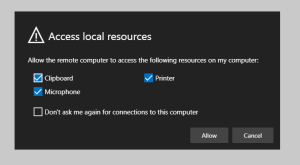
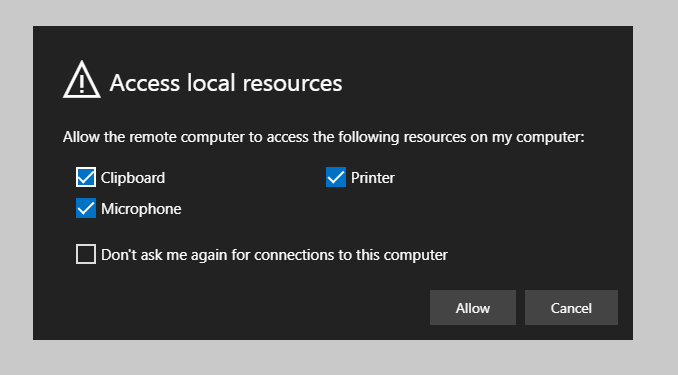
- Select local resources to make available, select Allow:
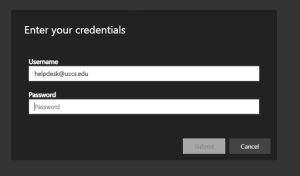
- Enter your domain email credentials:
- Virtual Lab Desktop will appear and work normally through the browser.
Windows Remote Desktop App
- From a Windows desktop, download the Microsoft Remote Desktop application from the Microsoft Store: Get Microsoft Remote Desktop - Microsoft Store
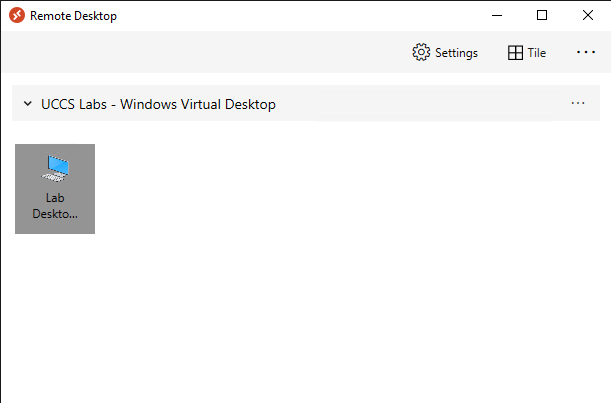
- Open from Start Menu:
- Double-click on the Lab Desktop icon (or right click to modify connection settings first):
- Remote Desktop Connection window will open normally.
Common Remote Desktop Protocol
- This method should only be used if you need a specific Virtual Lab host, instead of the next available in the pool.
- Using your preferred Remote Desktop Connection application, from the campus network (via VPN, RAP or campus connection) RDP directly to one of the following hosts:
- wvd-labsb-0.uccs.edu
- wvd-labsb-1.uccs.edu
- wvd-labsb-2.uccs.edu


...
Any content saved on a Virtual Lab System system not stored in your OneDrive or campus Home Directory will be lost! This includes all content in your local 'Downloads' directory and the system's 'Temp' directory.
...
- Microsoft Office365
- ArcGIS Desktop
- Adobe Creative Cloud
- Adobe Acrobat Pro DC
- VLC Media Player
- Matlab r2020b
- IBM SPSS/AMOS
Feedback and Reviews
With this pilot program, we are looking for feedback on your usage of the Virtual Lab systems to help improve the service before a campus release. Any questions, comments, and concerns you can share is valuable in assessing what still needs improvement and what is working for us. Any feedback is welcome, but we are paying specific attention to:
...