...
- Open a browser to Remote Desktop Web Client (microsoft.com). Microsoft Edge is preferred if you have issues with your existing browser.
- Enter UCCS SSO login credentials
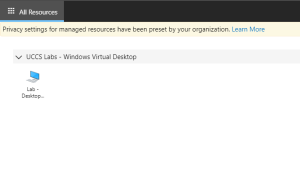
- Select the Open Lab Desktop icon under UCCS Virtual Labs - Windows Virtual Desktop:
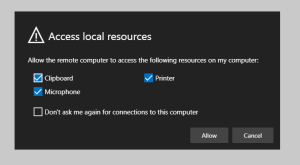
- Select local resources to make available, then Allow:
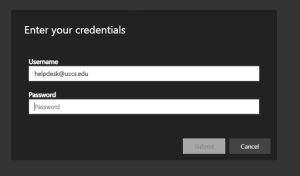
- Enter your domain email credentials:
- Virtual Lab Desktop will appear and work normally through the browser.
...