| Excerpt Include | ||||||
|---|---|---|---|---|---|---|
|
Steps:
| Table of Contents |
|---|
Step 1: Click Network Icon and Select UCCS-Guest
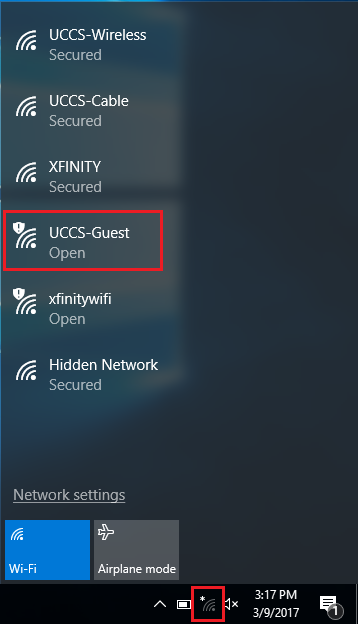
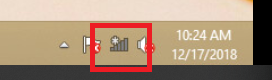
Click on the network icon in the bottom right corner. Then select the UCCS-Guest network.
Step 2: Click
...
the UCCS-Guest network
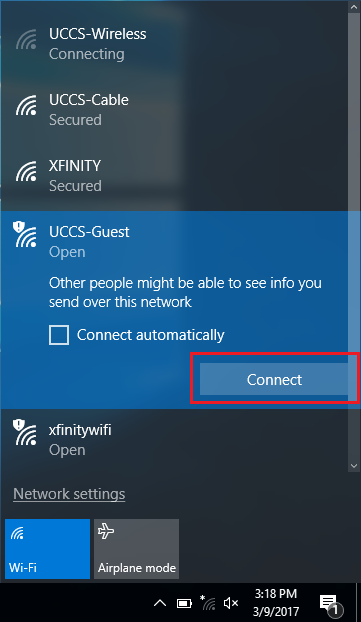
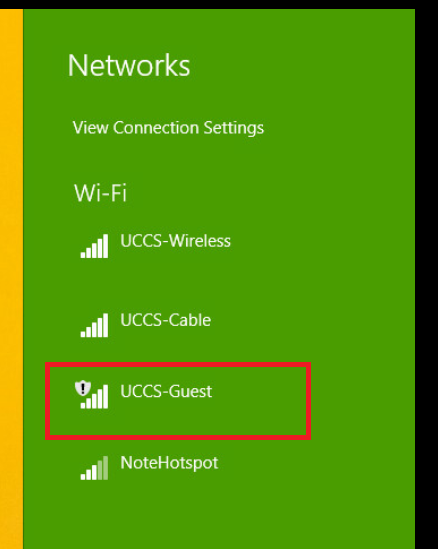
Click Connect to begin connecting to on the UCCS-Guest network, then click Connect. Leave the "Connect automatically" box unchecked.

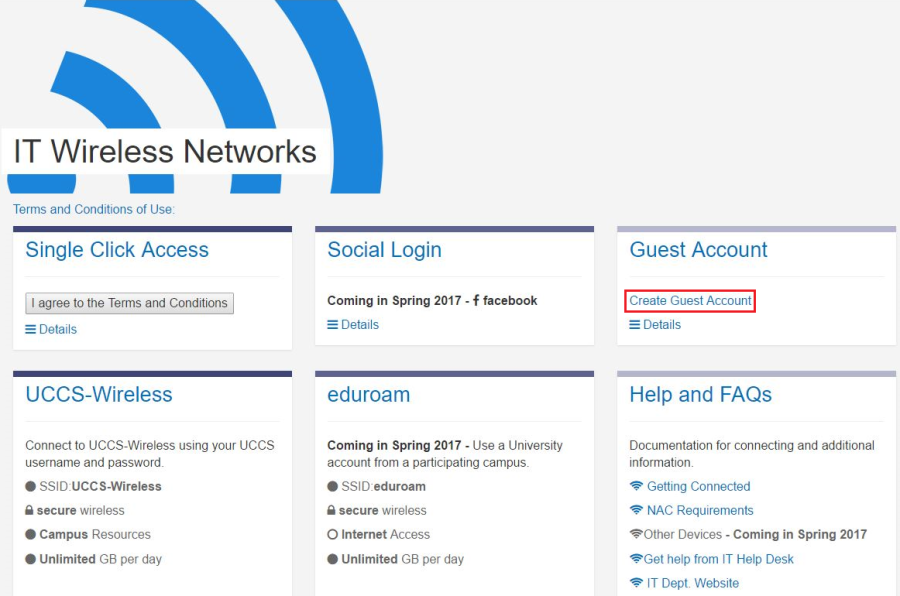
Step 3: Click Create Guest Account
A browser window should automatically open once connected to UCCS-Guest. If not, launch a web browser. Click Then under the Guest Account section click the Create Guest Account link.

Step 4: Fill Out Form and Click Register
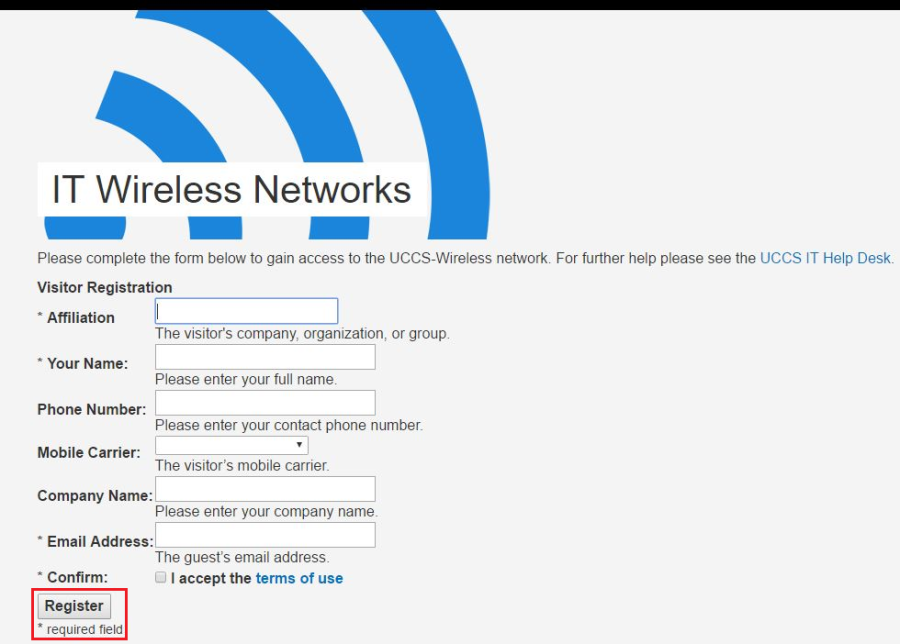
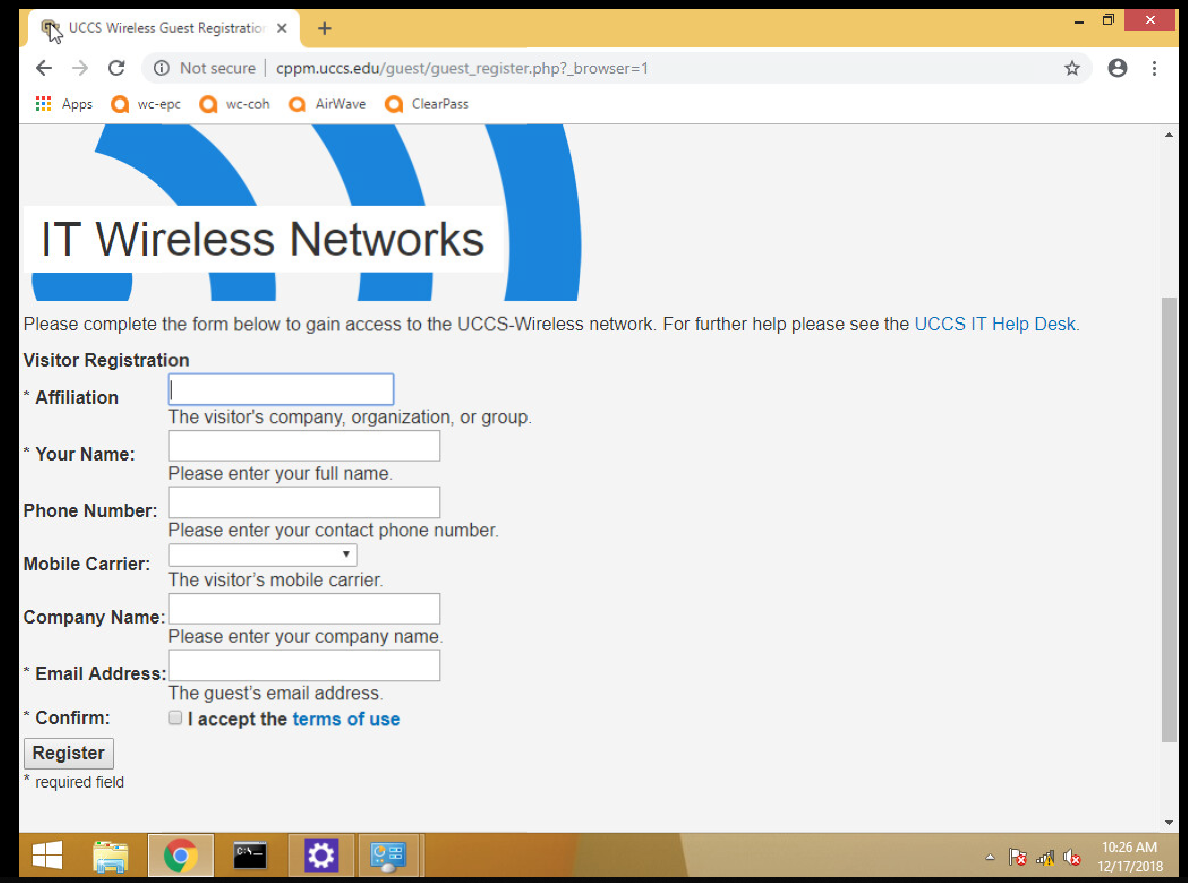
Fill out the form and then click the Register button at the bottom.
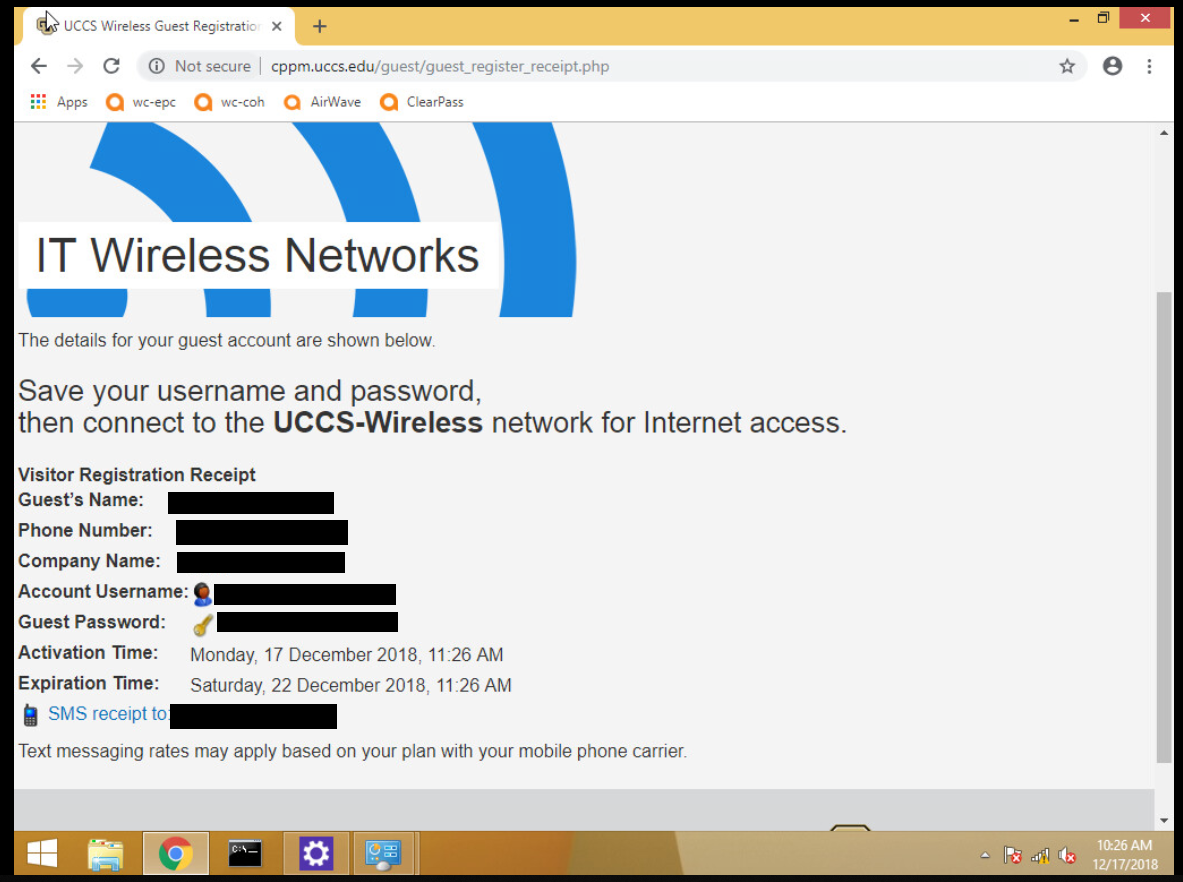
Step 5: Take Note of Guest Account Information
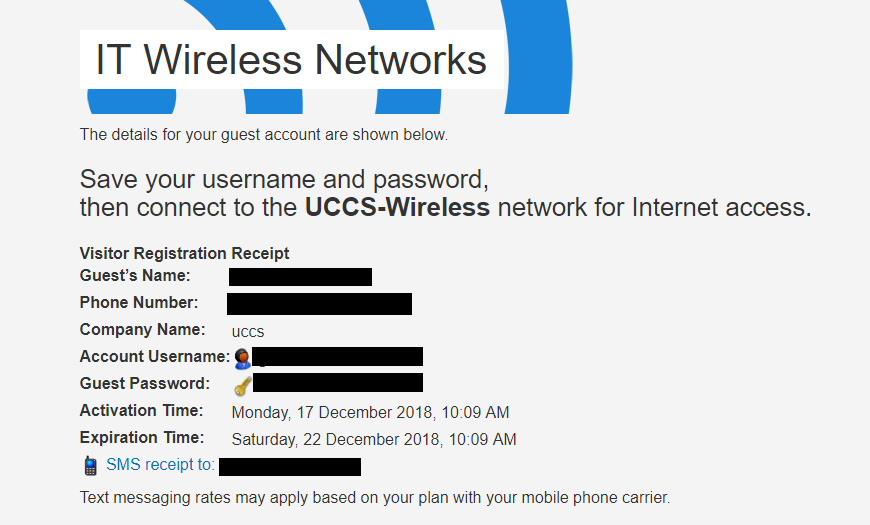
Take note of your newly issued guest login credentials (username and password) so you can use them to log into the UCCS-Wireless network in the steps below.
Step 6: Click Network Icon and Select UCCS-Wireless
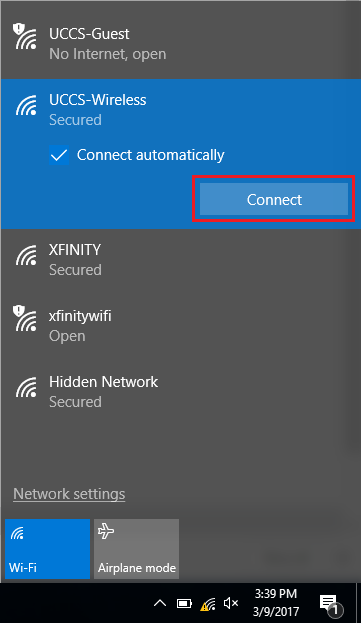
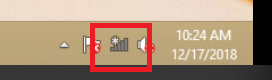
Click on the network icon again in the bottom right corner. Then select UCCS-Wireless from the list and click connect.

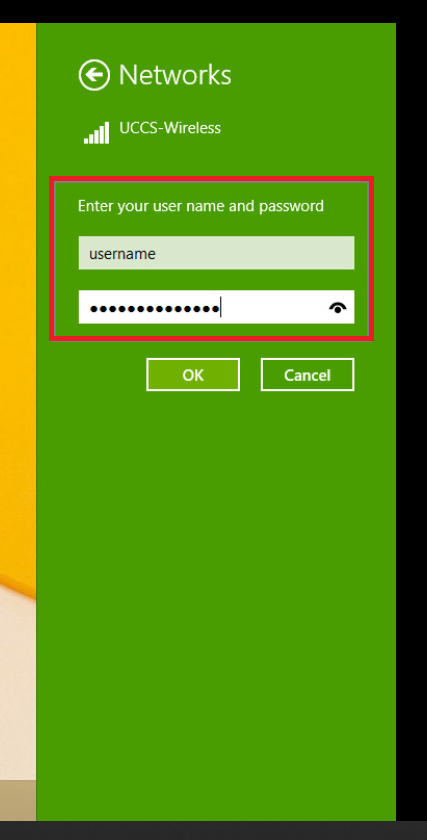
Step 7: Enter Guest Account Username/Password and Click Ok
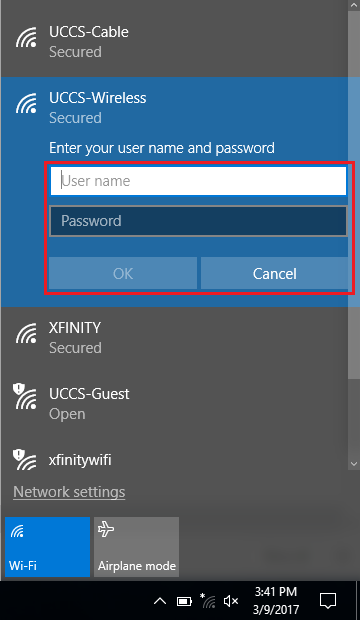
Enter the Guest Credentials you the guest username and password you obtained from the registration step steps above and click OK.
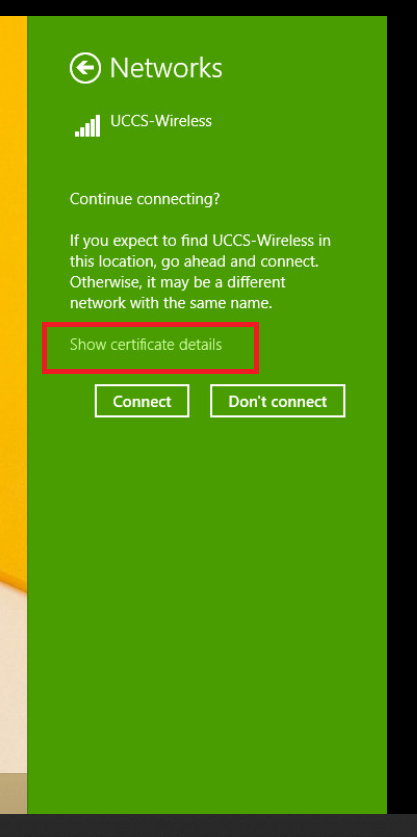
Step 8: Verify Security Certificate
To validate and see more information about the certificate, click Show Certificate Details.
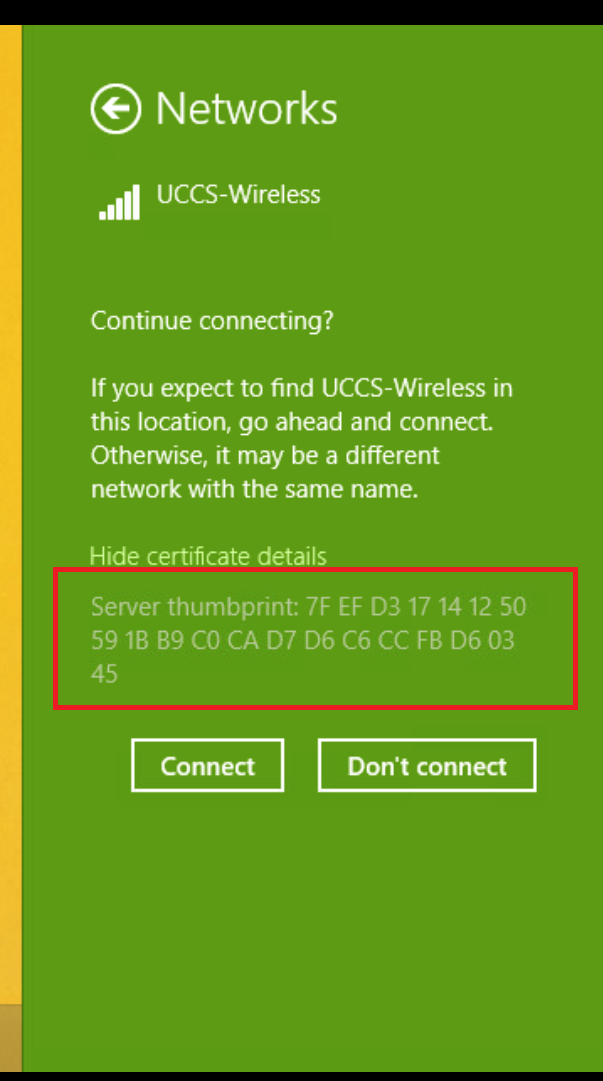
Step 9: Verify Security Certificate continued
The server certificate thumbprint should be displayed. It should match the SHA-1 fingerprint listed below.
If the fingerprint matches, click go ahead and click Connect.
NOTE → If the fingerprint do does not match, DO NOT trust the certificate! Click Click Don't Connect and and contact the OIT Helpdesk Help Desk for assistance.
...
| title | Fingerprint |
|---|
| Excerpt Include | ||||
|---|---|---|---|---|
|
A7 D6 D8 4D FB 1F AC E7 B6 1F CD 59 A8 9A D7 03 77 A9 F8 09
|
Your device should now be connected to UCCS-Wireless.
Still having problems? Please contact the OIT Help Desk
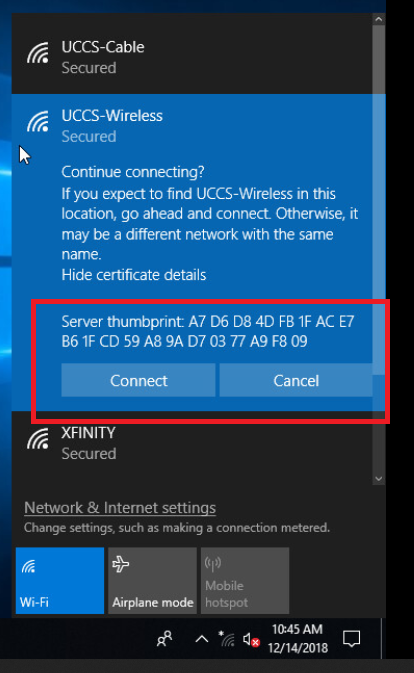
You are now connected to the UCCS-Wireless network.