...
| Note |
|---|
You must be connected to the VPN to connect to the Coursework Academics Server from off campus |
Step 1: PuTTy Configuration
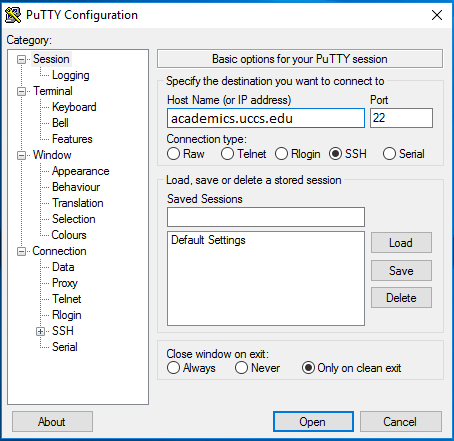
Fill Host Name (or IP Address) with academics.uccs.edu, Port with 22, and Connection type as SSH.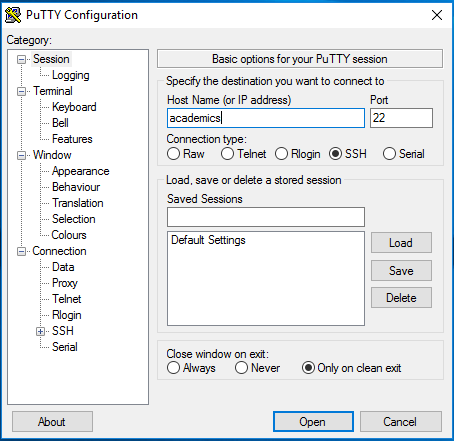
Step 2: Saving the Configuration
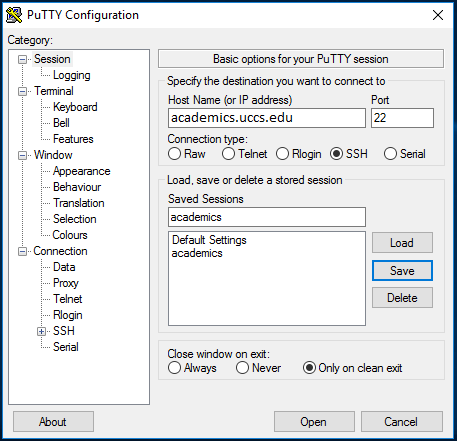
Under the Save Sessions section, give your configuration a name and then click Save. To use your saved session, click on it once to highlight and then click Load.
Step 3: Opening the PuTTy Client once Configured
Once all of the settings are entered click Open at the bottom of the window. A black window will appear and you will be prompted to enter your UCCS username and password.
Related Content
| Content by Label | ||
|---|---|---|
|