This guide is geared specifically to creating an inbox rule to help clean up Undelivered emails after an email account has been compromised.
Step 1: Navigate to the Options Menu
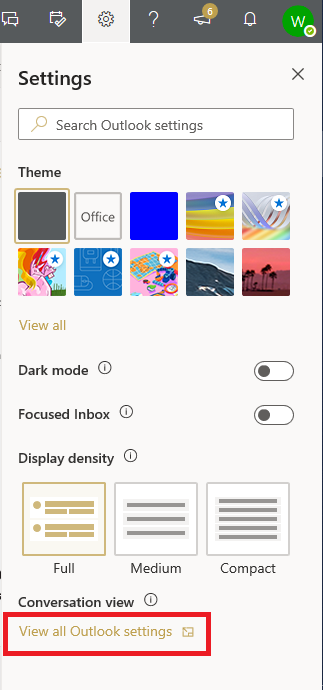
Once you log in, click on the cog in the upper right hand corner of the screen, then select View all Outlook settings.
Step 2: Select the Inbox and Sweep Rules Menu
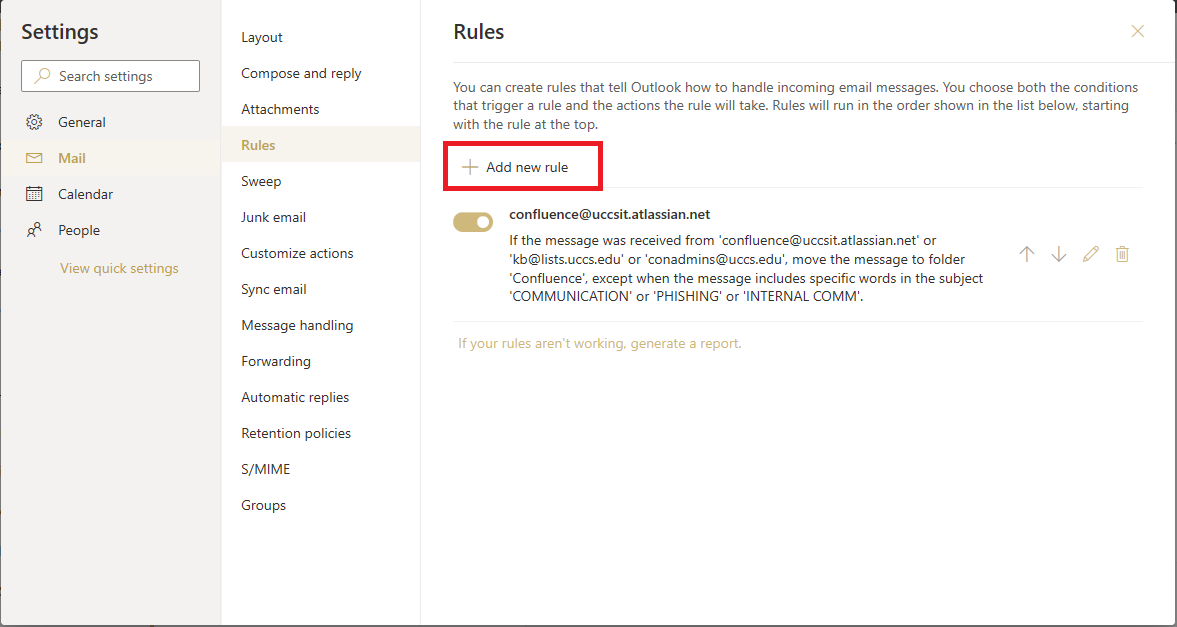
In the options menu, select Mail -> Rules -> Add new rule.
Step 3: Create a New Rule and Rule Specifics
The following screen will open when you select Create new rule

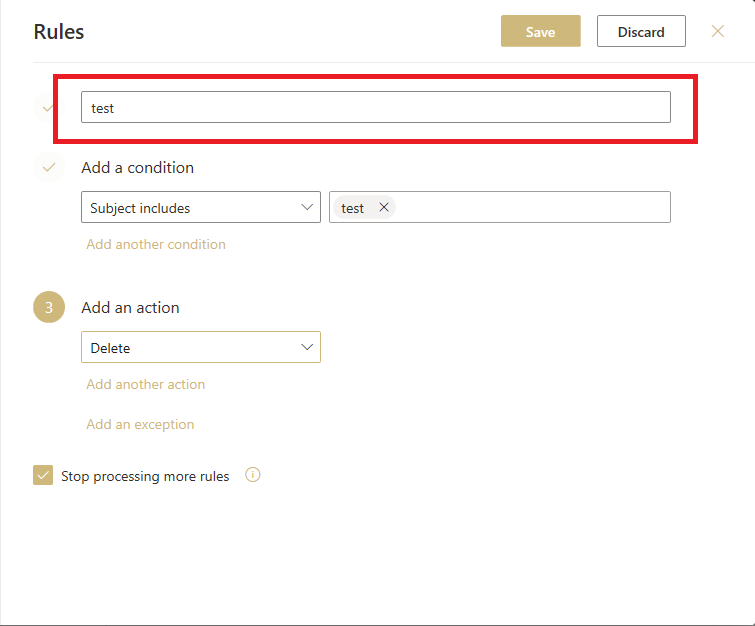
Under the Add a condition, select the drop down menu and chose Subject includes under the Subject
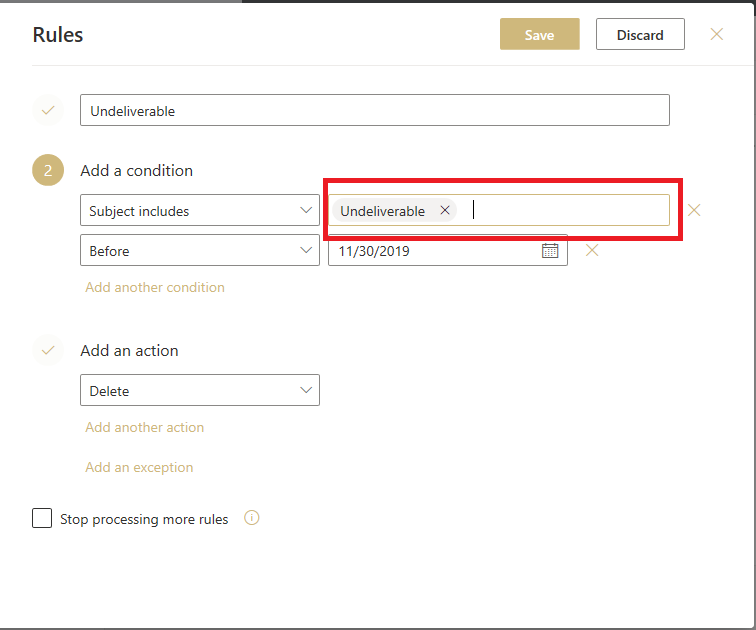
The word you'll want to add to the rule is Undeliverable and then you'll click the + icon.

Step 6: Setting Up Date Span
This rule is critical! The rule only needs to run for about two days before it is once again disabled. This allows you to get Undelivereable emails in the future if an email you send to a professor or another student couldn't be sent.
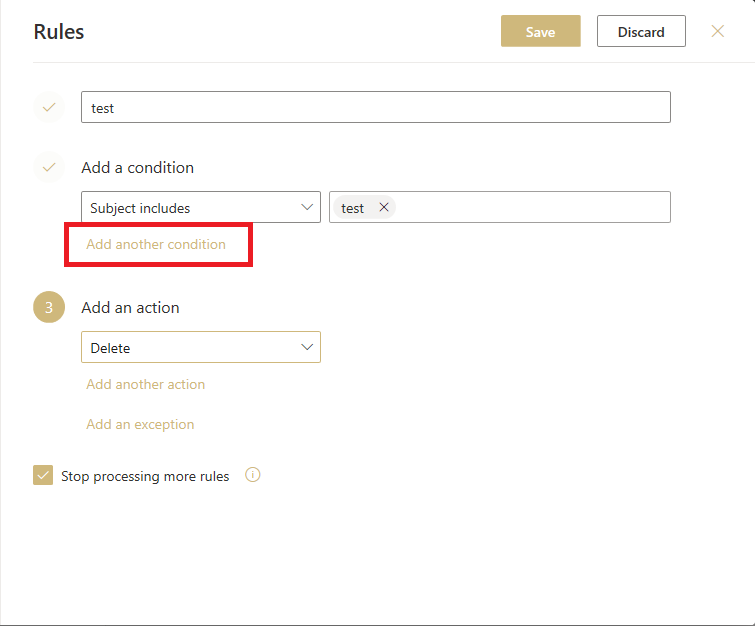
You'll want to click the Add another condition button
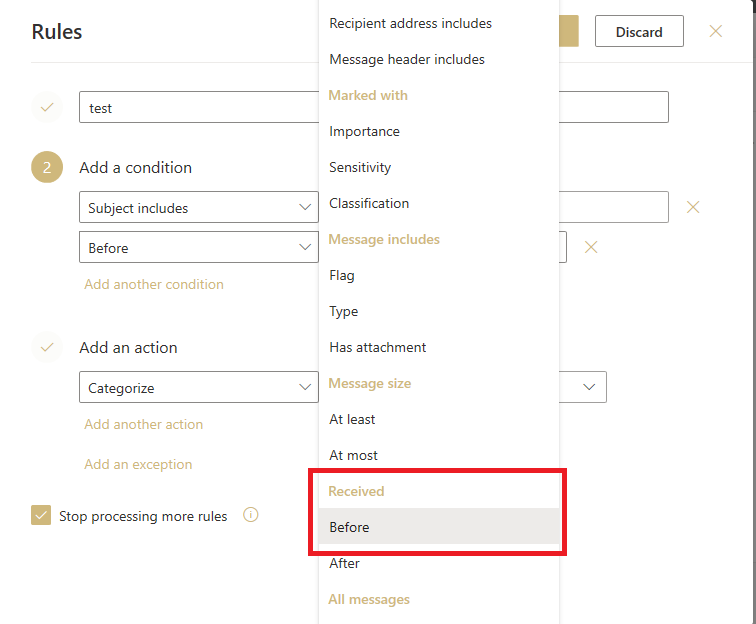
From the drop down box select Before under the Received section
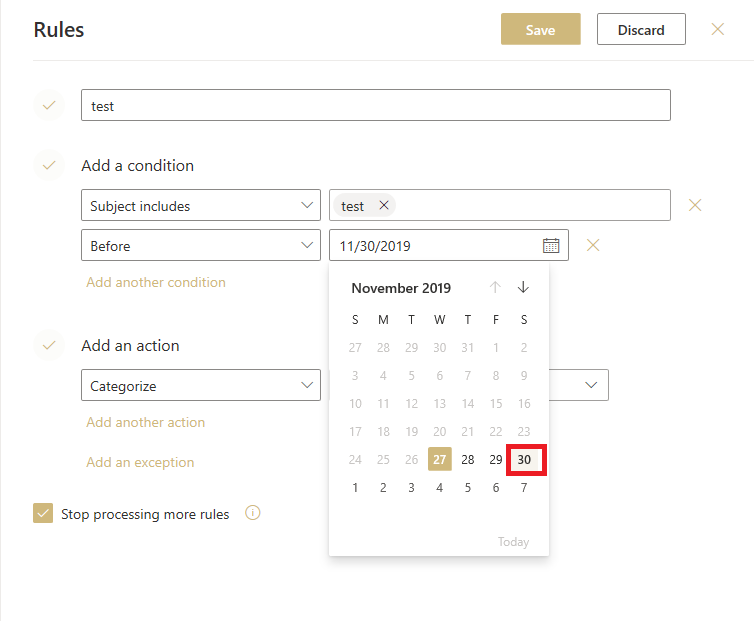
For the date you'll want to select is 2 days from the current date. In this example today's date is 11/27/2019. So the date picked is 11/30/2019 so that for the current date and over the next two days the rule will be applied.
Step 7: Setup the Action to Delete
Under the Add an action section you'll want to select the drop down box and then select Delete under the Organize section

Step 8: Verify Final Settings
Make sure that your rule looks similar to the image below, with the date being set according to Step 6.
Make sure that the check box at the bottom of the screen for Stop processing more rules is unchecked.

This rule only works on new emails coming in. You will have to either manually delete the emails currently in your mailbox or use the Outlook desktop application to run the rule on your mailbox.
To manually run a rule in the Outlook desktop application please see this Microsoft KB article: https://support.office.com/en-us/article/Manage-email-messages-by-using-rules-c24f5dea-9465-4df4-ad17-a50704d66c59