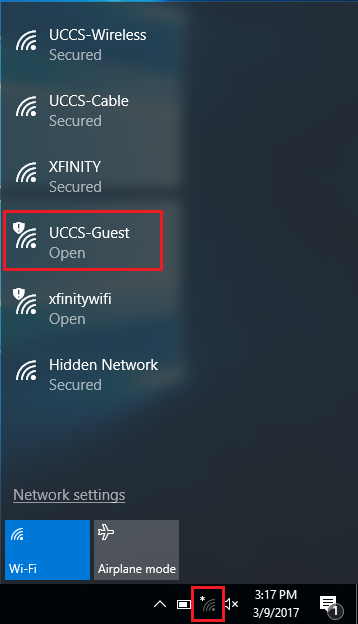
Click on the network icon in the bottom right corner. Then select the UCCS-Guest network.
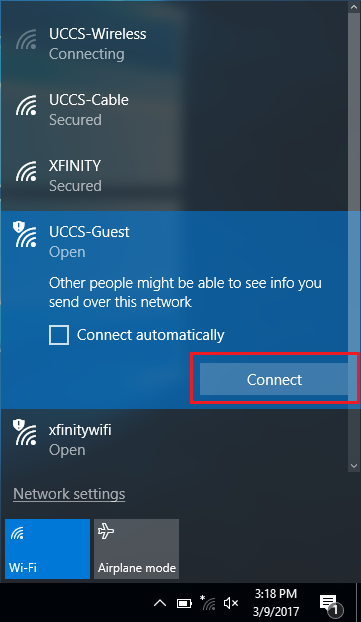
Click Connect to begin connecting to the UCCS-Guest network.
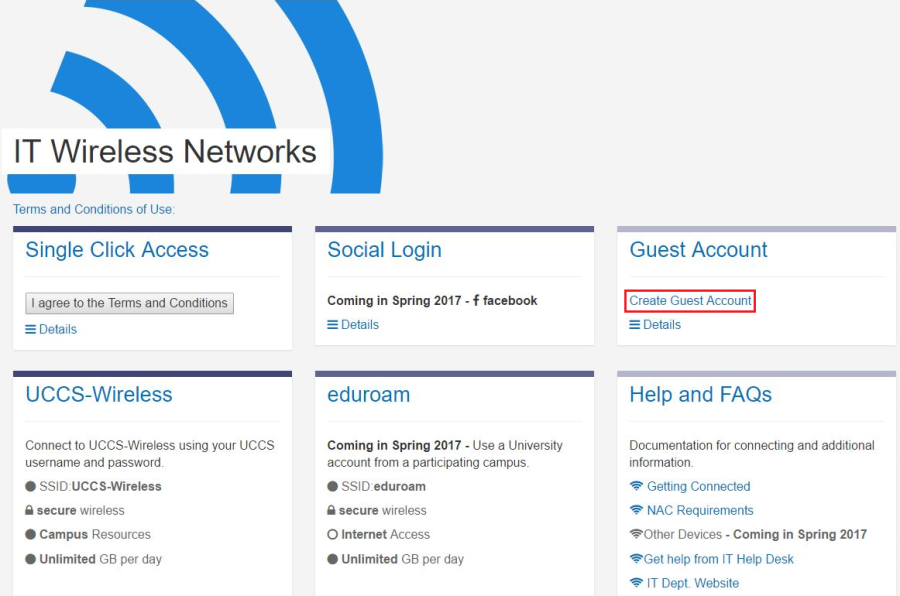
A browser window will automatically open once connected to UCCS-Guest. Select the Create Guest Account option.
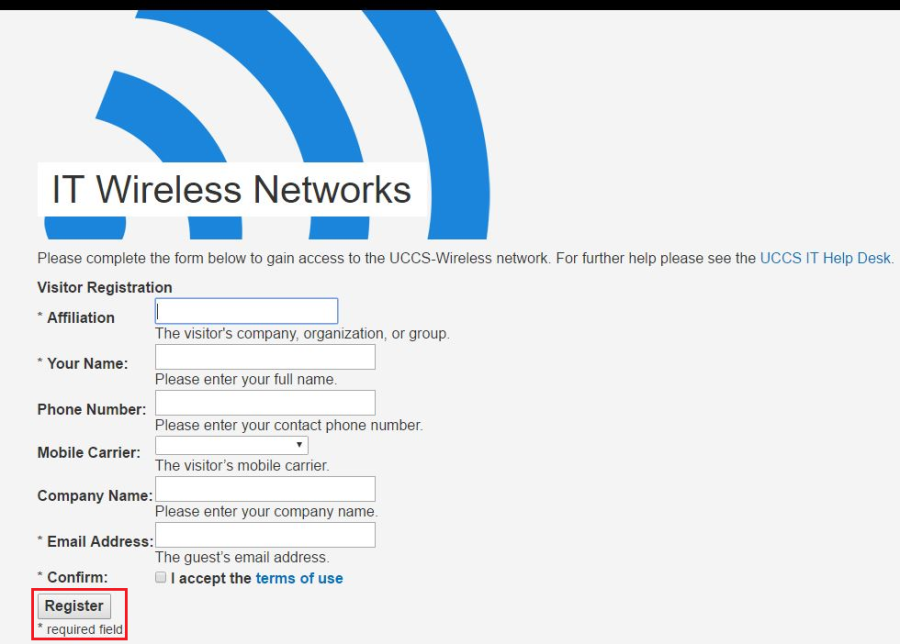
Fill out the form and then click the Register button at the bottom.
You will be provided with information about your Guest Account once the form has been completed. Please take note of this information.
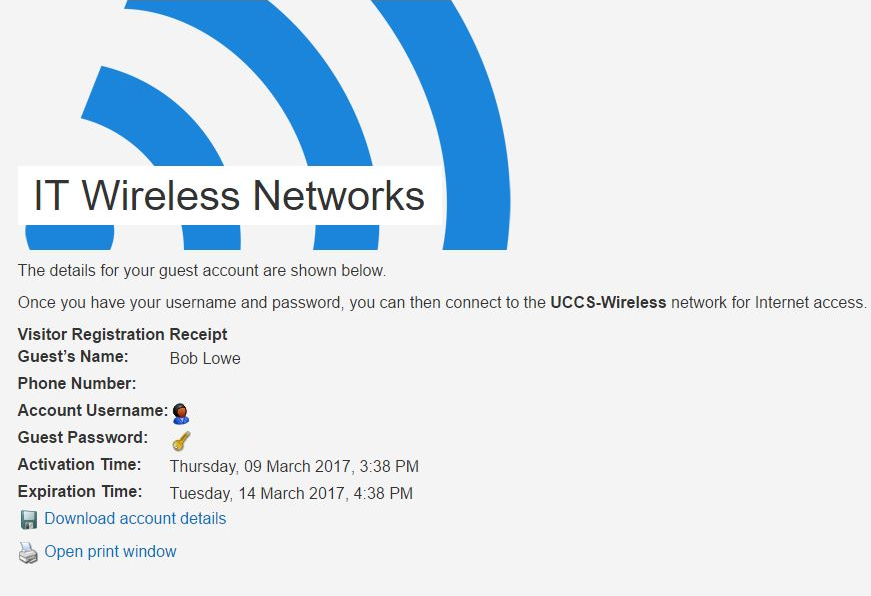
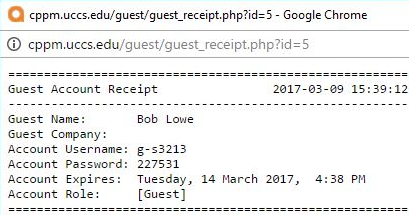
This option will save your Guest Account information as .txt file onto your computer.

This option will open a printer friendly window. If you have a printer available you can print the information out.
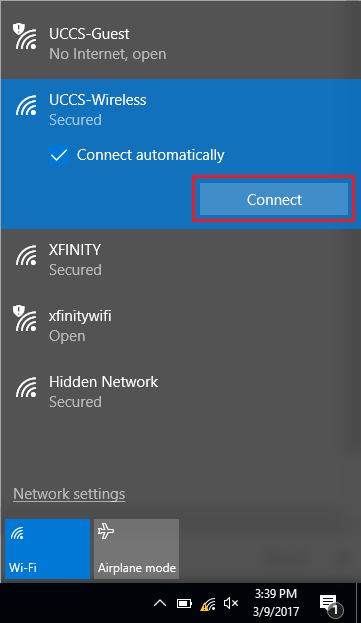
Click on the network icon again in the bottom right corner. Then select UCCS-Wireless from the list and click connect.
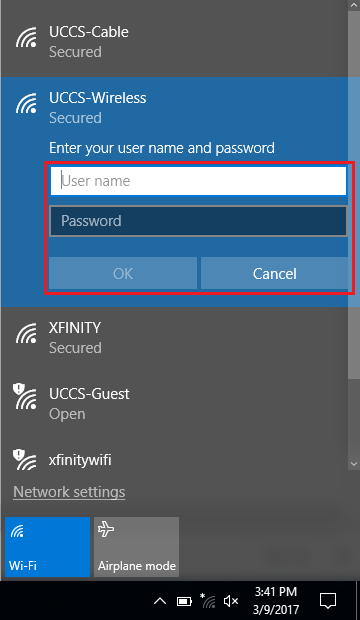
Enter the Guest Account information and then click okay.
You are now connected to the UCCS-Wireless network.