You must be connected to the VPN to connect to the Academics Server from off campus
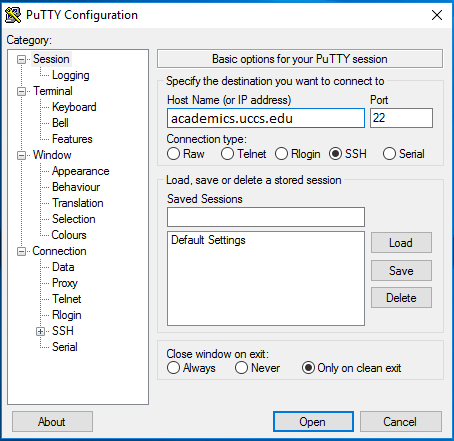
Fill Host Name (or IP Address) with academics.uccs.edu, Port with 22, and Connection type as SSH.
Under the Save Sessions section, give your configuration a name and then click Save. To use your saved session, click on it once to highlight and then click Load.
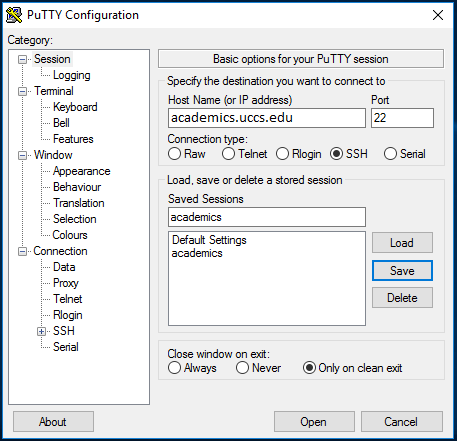
Once all of the settings are entered click Open at the bottom of the window. A black window will appear and you will be prompted to enter your UCCS username and password.
PuTTy SSH Client Academics (Help Desk Knowledge Base)
PuTTy SSH Client Coursework (Help Desk Knowledge Base)
PuTTy SSH Client Brain (Help Desk Knowledge Base)
Configure FileZilla Client (Help Desk Knowledge Base)
UNIX Webpage Creation (Help Desk Knowledge Base)