Tap the Settings icon to open up the device settings.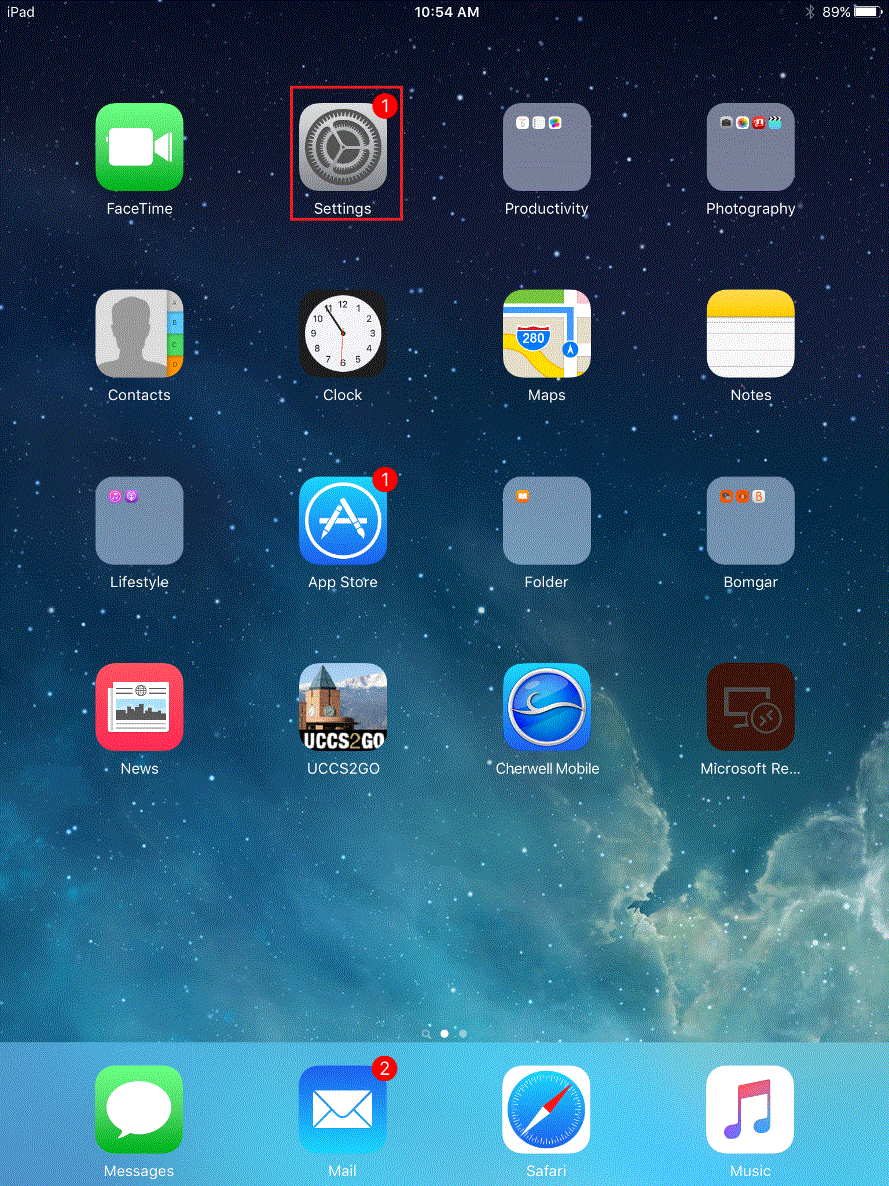
Tap the Wi-Fi option in the left bar menu.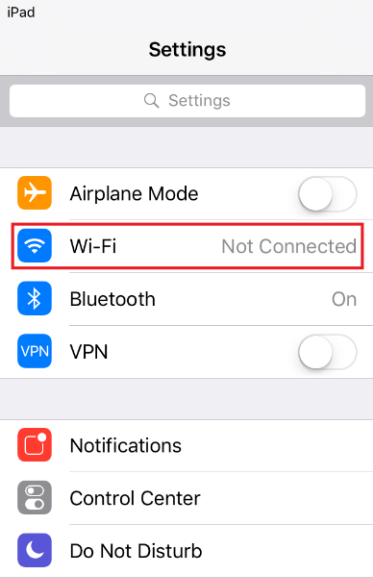
Tap on the UCCS-Guest network to connect to the wireless network. After connecting a new page will open.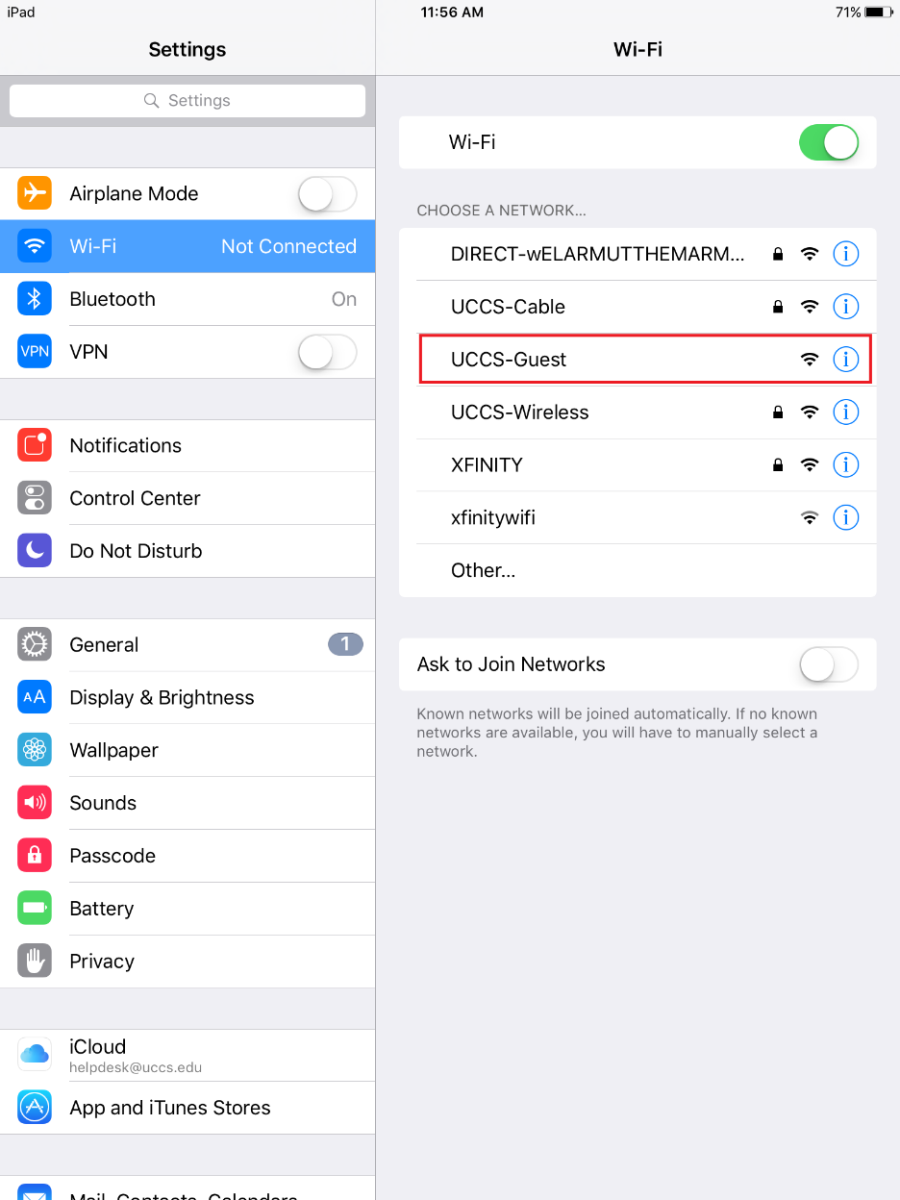
On the new page tap the Create Guest Account option under Guest Account.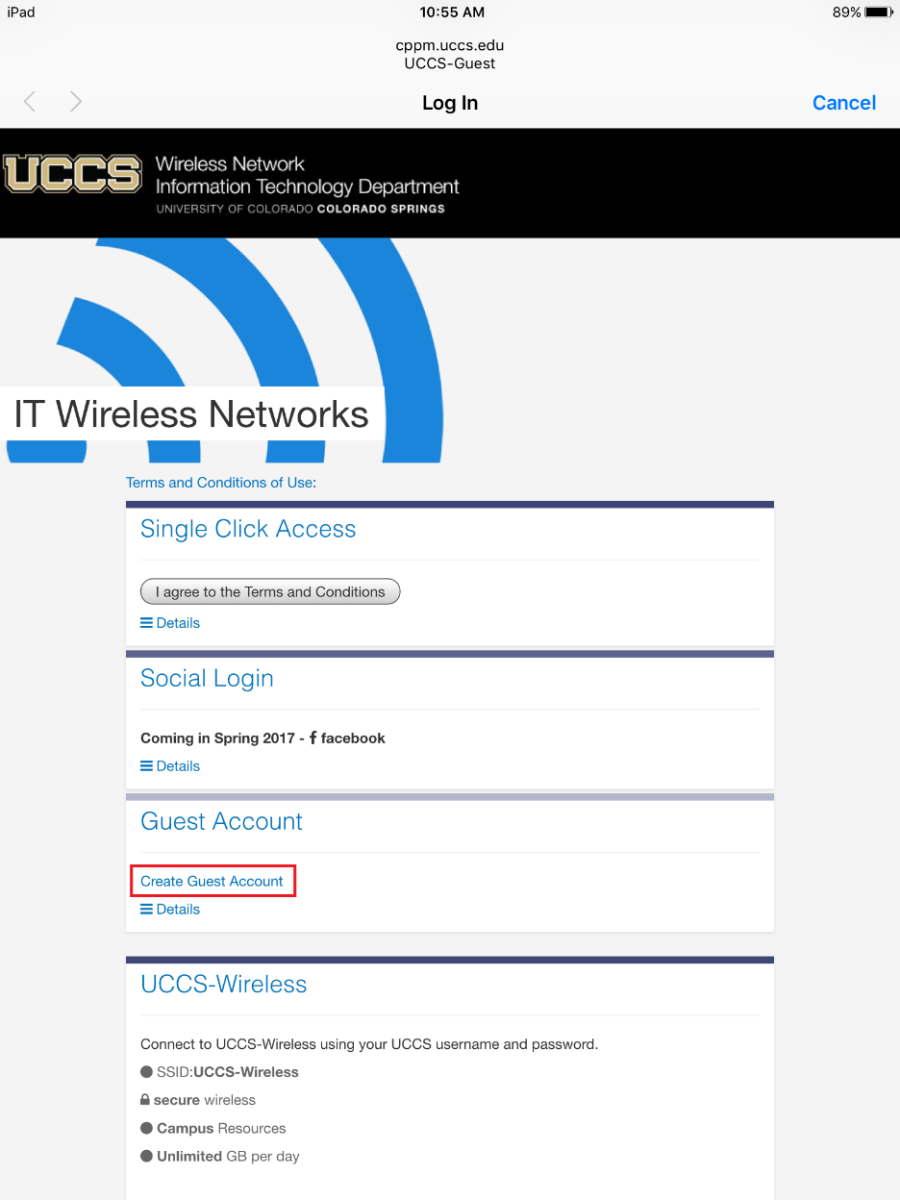
Complete the form and then press the Register button at the bottom of the page.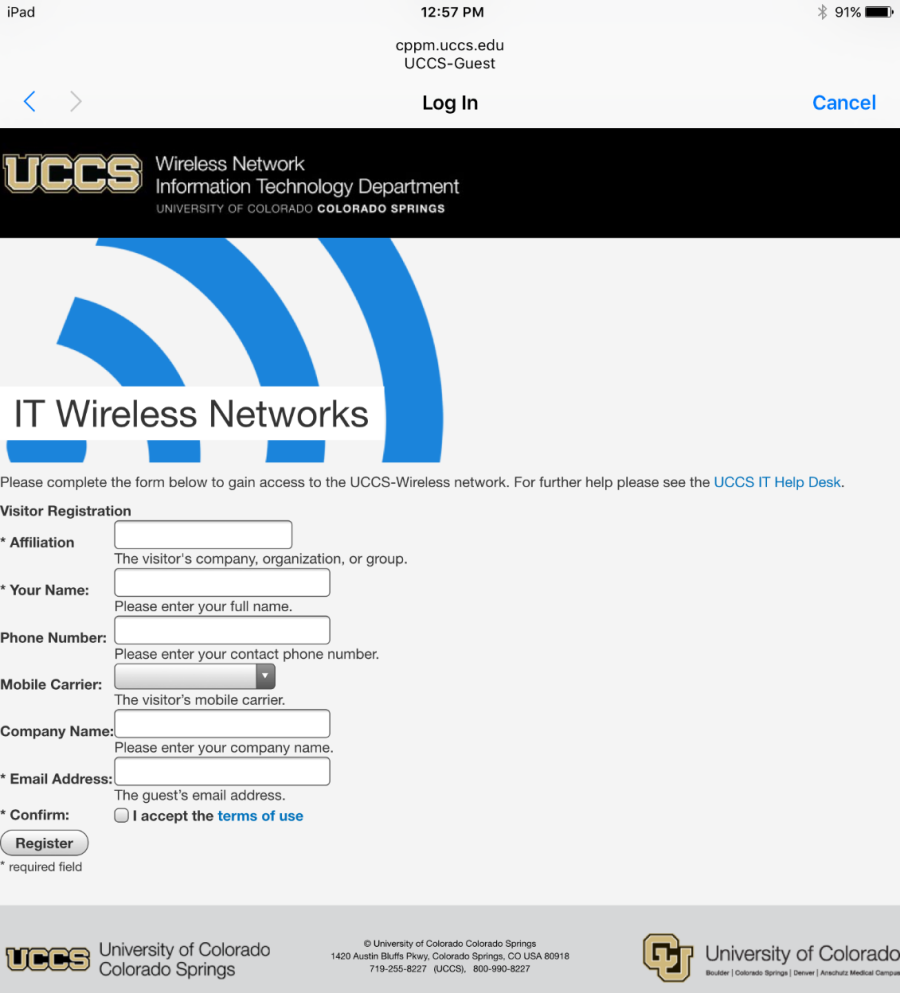
Take note of your guest login credentials so you can use them to log into UCCS-Wireless.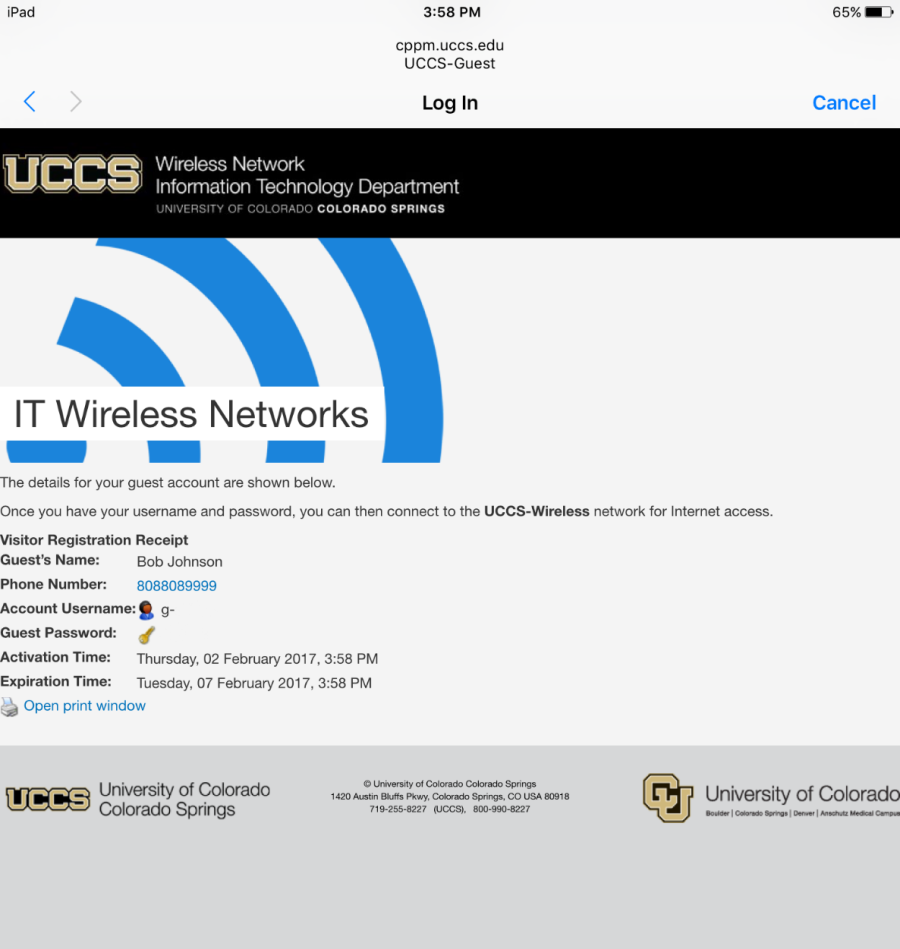
Go back to the Wi-Fi settings to connect to UCCS-Wireless (same as steps 1 and steps 2)
Tap on UCCS-Wireless and then enter the Guest Credentials.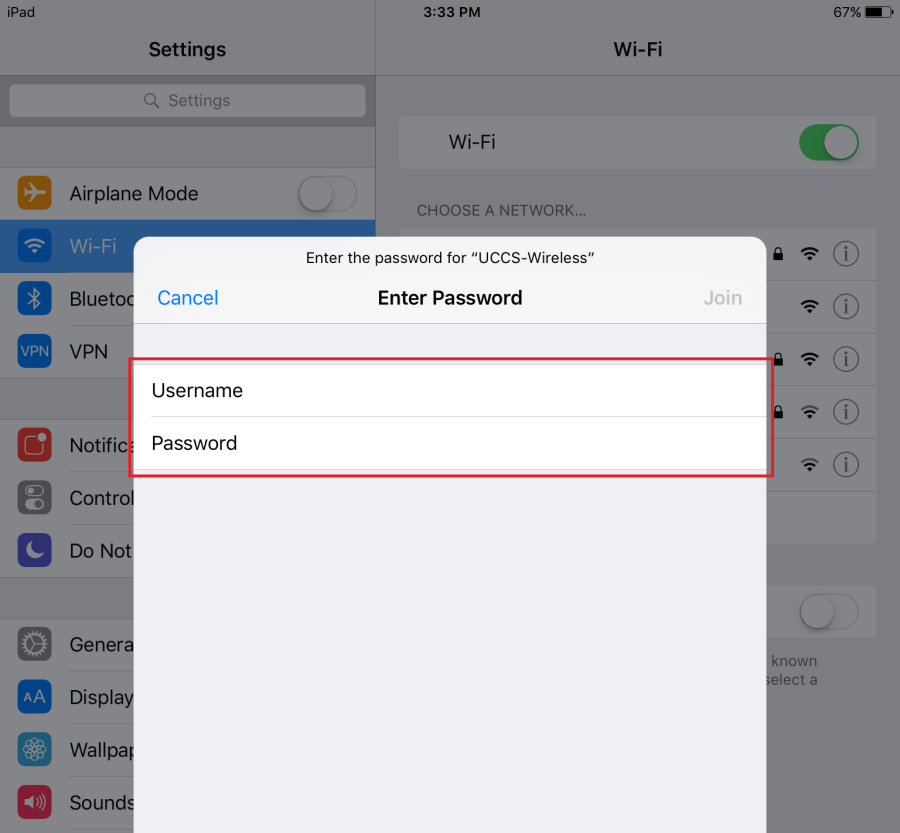
If you are prompted with the certificate for the network press Trust in the top right corner.
This tells your device to remember the network as a trusted network.
If you press cancel or close this window you will not be connected to UCCS-Wireless.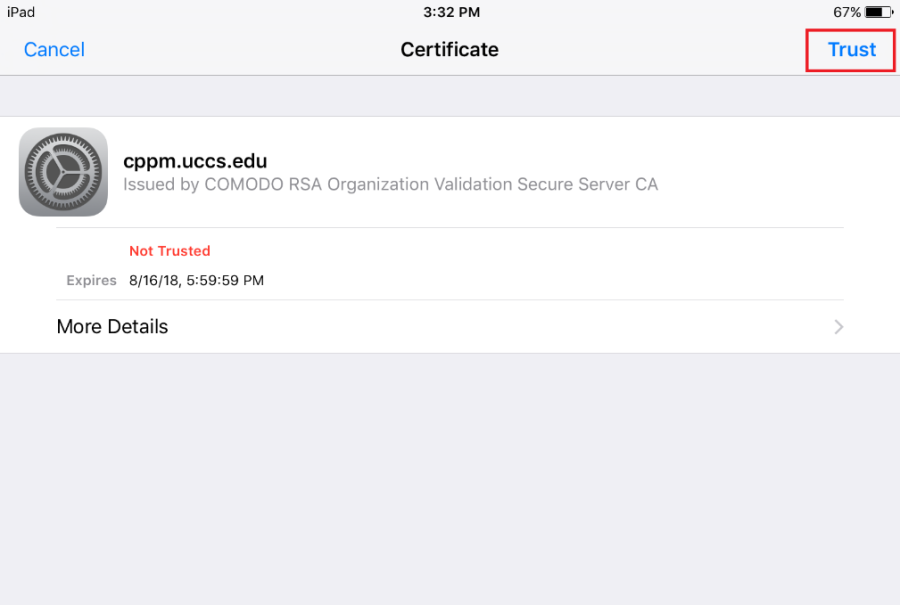
Your phone will redirect you to the UCCS homepage. Tap Done in the top right corner to close this window. 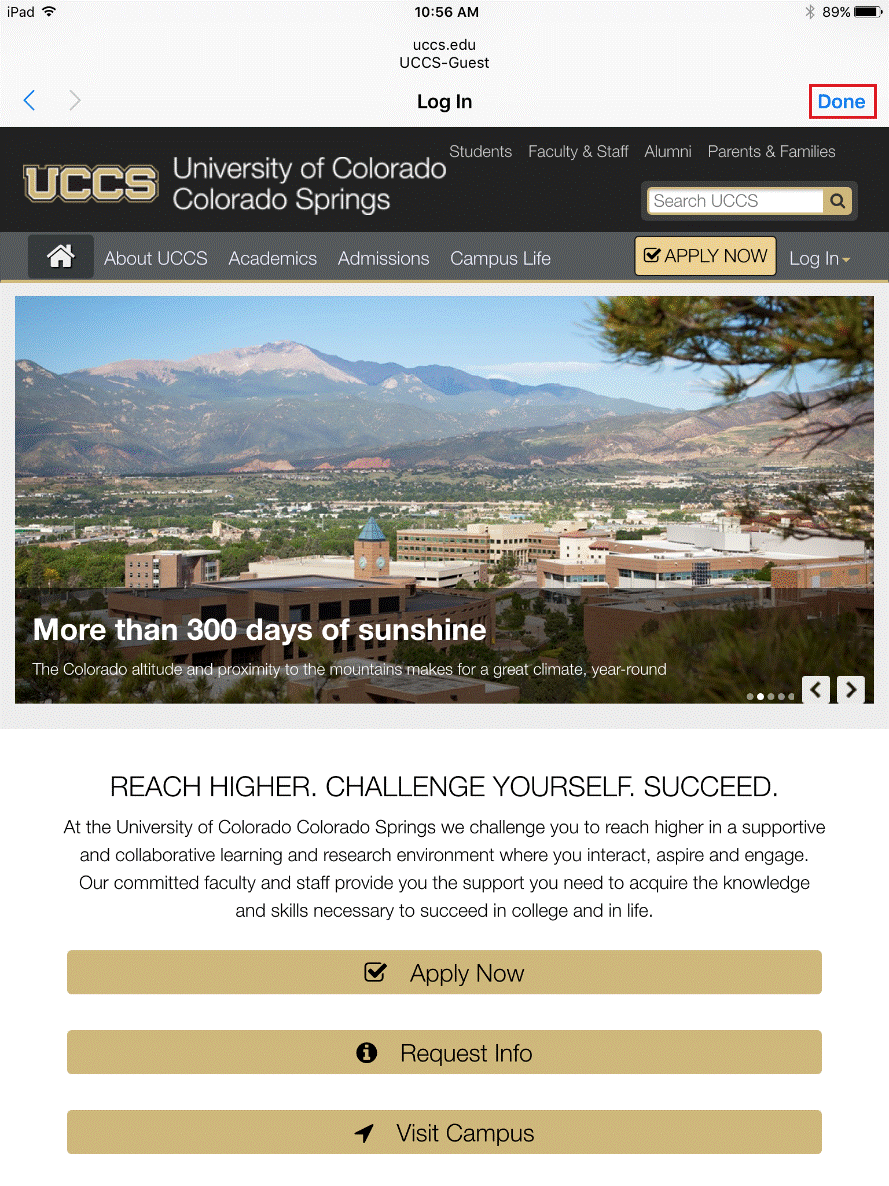
You are now connected to UCCS-Wireless with your guest account.