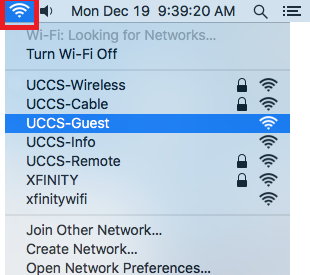
Click on your wireless network icon in the top right corner of the computer and then select UCCS-Guest from the list.
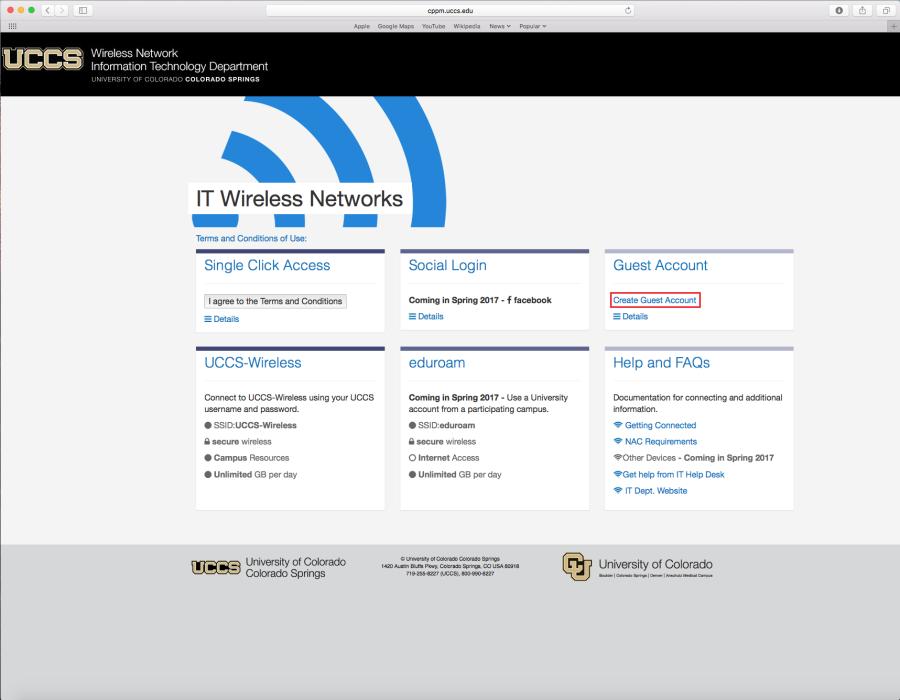
Your default browser will open up the UCCS-Guest wireless page. Click Create Guest Account to request a guest account.
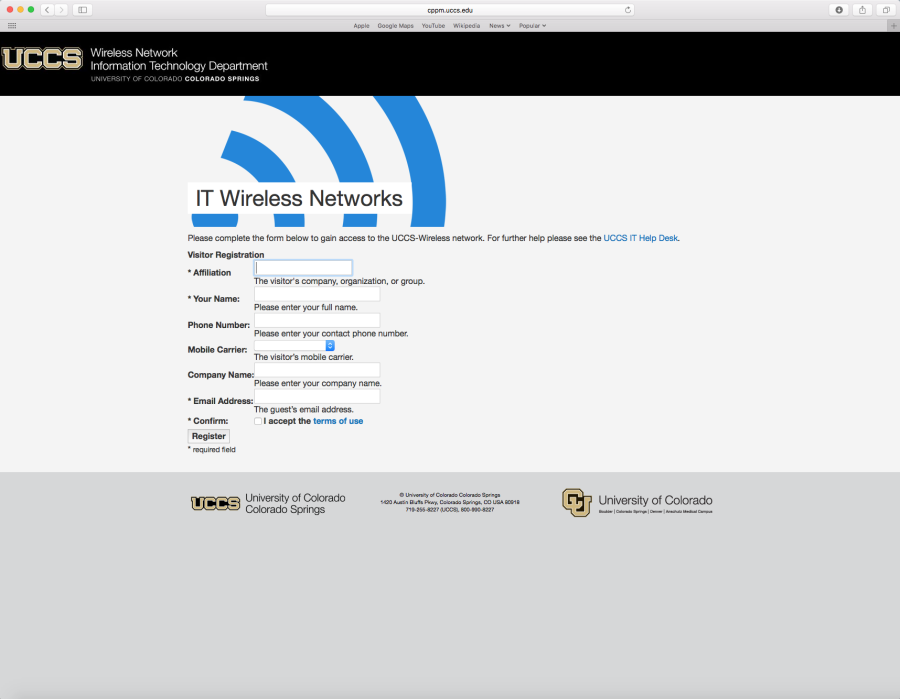
Fill out the request form and then click Register at the bottom of the page.
Take note of your newly issued guest login credentials (username and password) so you can use them to log into the UCCS-Wireless network in the steps below.
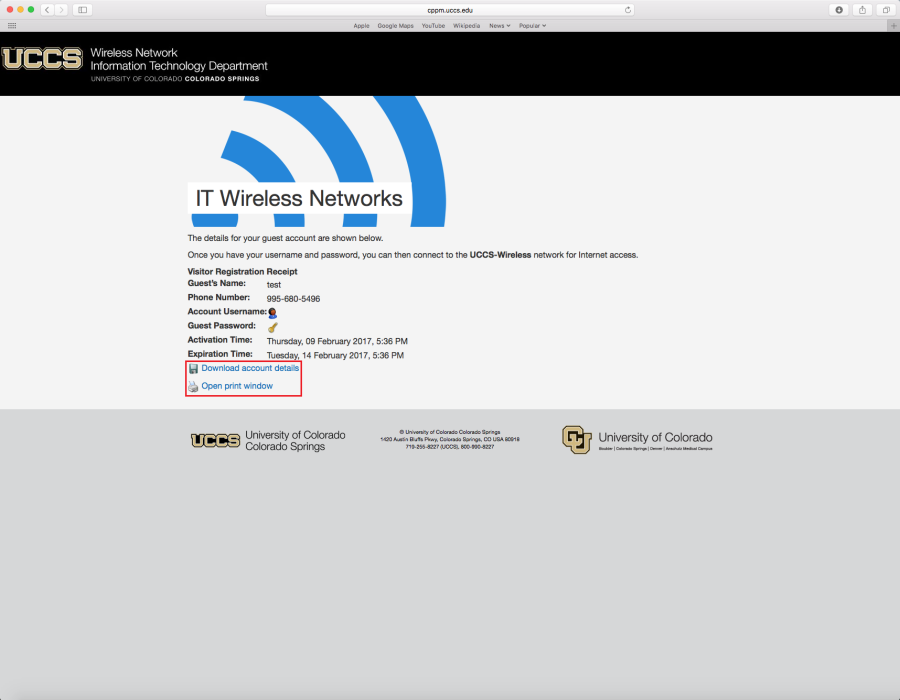
Your account details will be opened in a text file (.txt). You can then save that information to your computer or you can print it.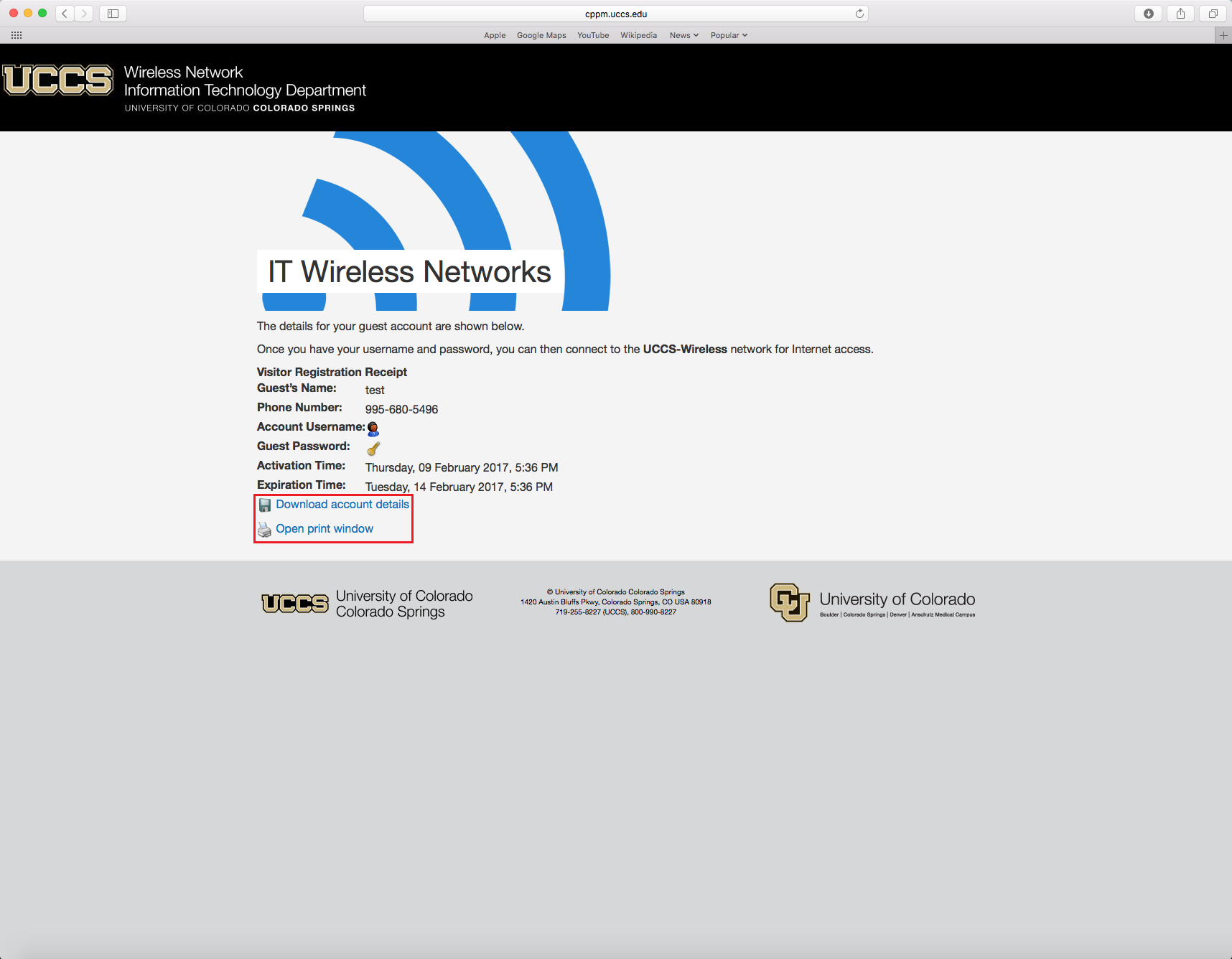
This will open a window with your login information that you can print.
Click on your wireless network icon in the top right corner of the computer and then select UCCS-Wireless from the list.

Enter the Guest Credentials you obtained from the registration step above..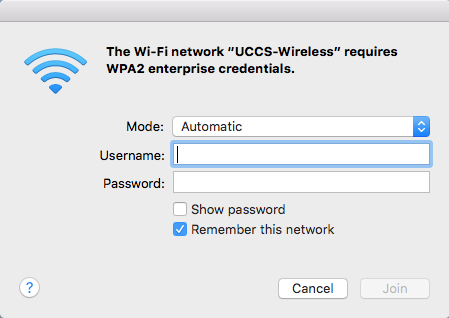
You are now connected to the UCCS-Wireless network.