The UCCS Virtual Lab is a cloud based computing platform that allows students and faculty to remotely access UCCS supported lab applications.
This service is initially limited to a single Open Lab style environment that includes a limited selection of general use and licensed applications available to everyone. Specific software or dedicated labs may be available by request.
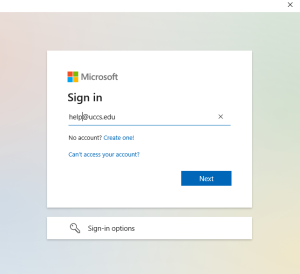
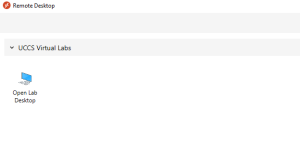
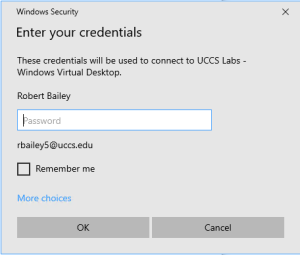
You have two options for accessing the Virtual Lab Systems: Web Browser or Windows Remote Desktop Client
Preferred client platforms are the Microsoft Windows 10 OS or Edge browser. Mac users are limited to Internet Browser Access. Chromebook devices may use either method.
If you experience connection errors or delays using the Web Browser method of access, it is recommended you use the Windows Remote Desktop Client method instead. |
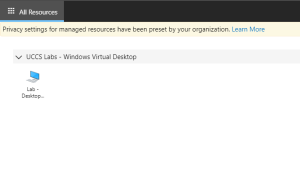
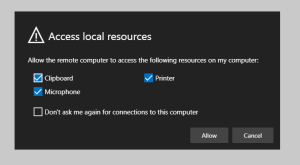
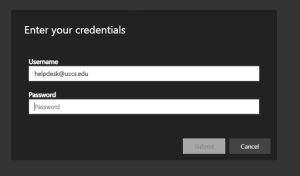
This is the preferred connection utility for improved connection speed and stability.

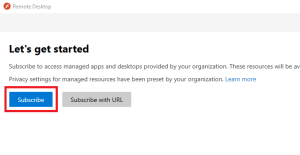
Any content saved on a Virtual Lab system not stored in your OneDrive or campus network drive will be lost! This includes all content in your local 'Downloads' directory and the system's 'Temp' directory.
The new Virtual Lab systems no longer link your on-campus home directory to your account's profile, and instead use your personal OneDrive for redirected data storage. This means your Documents, Desktop, and Pictures directories on the Virtual Lab will save content to OneDrive automatically.
The common shared drive mapping for your home directory and department directory are still in place, allowing you to manually save content to this storage if needed.
Currently the Virtual Labs are limited to a single Open Lab environment, so access to specific licensed software may not be available yet.
Please contact the Help Desk to request additional licensed software be available on the Virtual Labs.