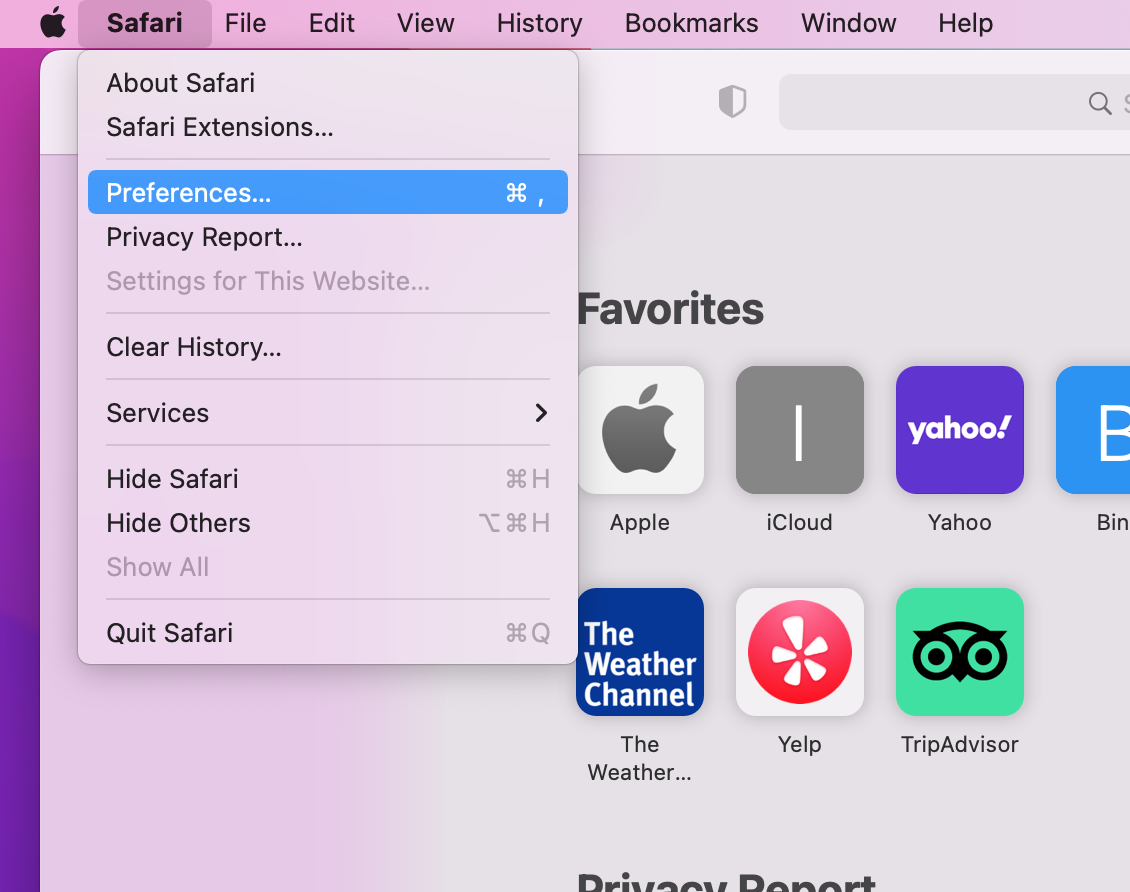
- Select "Safari" and from the drop-down menu, select Preferences:
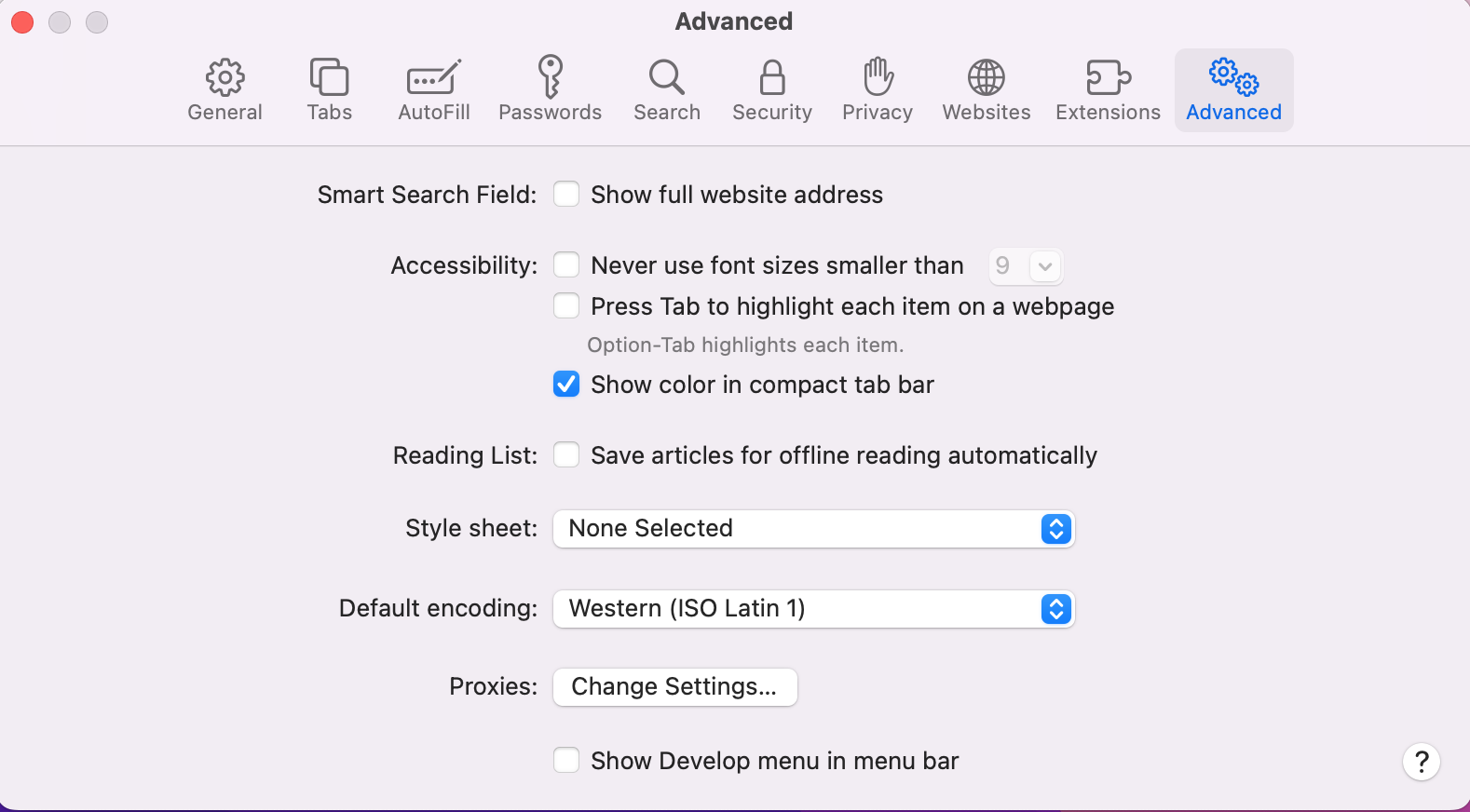
- A popup opens. Click on the "Advanced" tab. Check the option "Show Develop menu in menu bar" at the bottom.
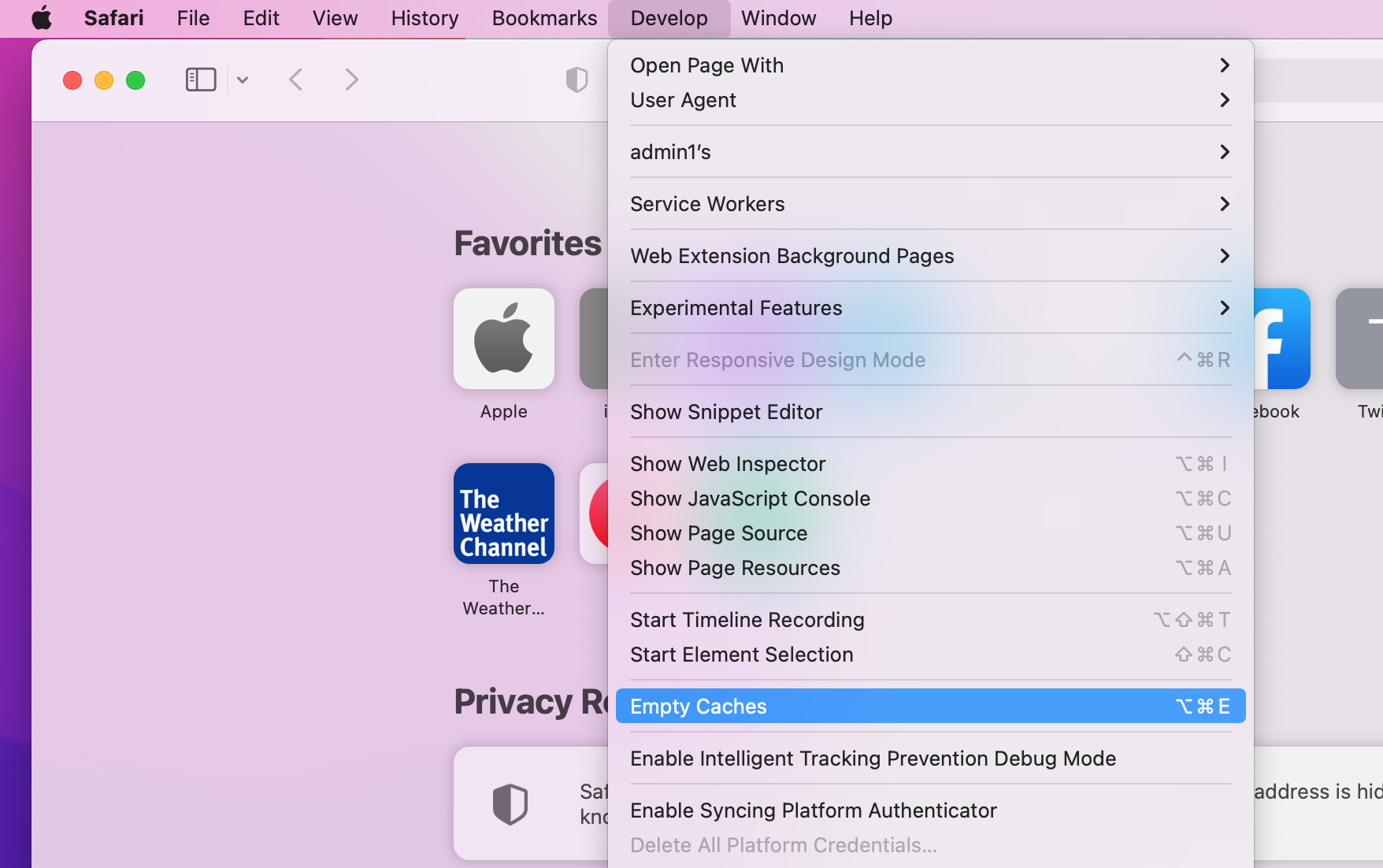
- Now you should see a new menu item in the main menu named "Develop"
- Click on the menu item "Develop", then select "Empty Caches" from the submenu items. This will automatically clear the cache and cookies.
- Reload the site.
Overview
Content Tools